Oh no! Where's the JavaScript?
Your Web browser does not have JavaScript enabled or does not support JavaScript. Please enable JavaScript on your Web browser to properly view this Web site, or upgrade to a Web browser that does support JavaScript.

ASUS P8Z68-V LX and GRUB Loop

Last updated on 2 hours ago
ami-elvisami-elvisJunior Member
Posted 9 hours ago
So I finally managed to get my Aros machine to start up, a bad RAM slot confused me for a whole day! But now it's stuck in the eternal GRUB loop.

Hardware:
Motherboard: ASUS P8Z68-V LX, BIOS 0703 (Aptio v2.00.1201)
CPU: Intel Core i5-2400 @ 3.10GHz (Sandy Bridge, integrated HD Graphics 2000)
RAM: 2x Corsair Vengeance LP DDR3, 8GB total, running in DIMM_A1+A2 (DIMM_B2 slot confirmed defective via DRAM_LED, excluded)
GPU tested: both integrated HD 2000 AND discrete GeForce 9500GS (PCIEX16_1 slot) — identical failure with both
PSU: Corsair CX550
Storage: Samsung MZYTY256HDHP-000L2 256GB SSD, SATA3G_3, IDE mode
Boot media: 8GB USB stick, AROS One v1.3 64-bit (ABIv11) written via dd directly from the official .vhd USB image

Symptom:

GRUB boots and displays all 4 menu options correctly (Default, Safe VESA, Safe VGA, Early Boot DOpus4). Selecting ANY of the four options results in identical behavior: ~2 seconds after selection, monitor reports "No video input" and the system automatically reboots back to the GRUB menu. This happens consistently regardless of which graphics path (iGPU or discrete GeForce 9500GS) is active.
Already tried, no change in behavior:

SATA mode: switched AHCI → IDE
Boot method: tried both UEFI boot and Legacy Boot Override for the USB device
BIOS "Initiate Graphic Adapter": tried both iGPU and PCIE/PCI
Swapped monitor cable between HDMI/DVI/VGA (confirmed HDMI works fine for BIOS/GRUB display)
Tested with both integrated graphics and discrete GeForce 9500GS installed

Any pointers on what else to check would be very welcome. I noticed in some older post that next step might be to disable SATA, Network etc as well and see what happens?

Best regards!
R
retrofazaDistro Maintainer
Posted 9 hours ago
I see that the motherboard has had a few BIOS updates; I have the latest version (4105) on mine.
https://www.asus.com/pl/supportonly/p8z68v_lx/helpdesk_bios/
D
deadwoodAROS Dev
Posted 9 hours ago
My bet would be on USB pendriver preparation. Most of the time when we get reports of "crashes right after grub" it's due to wrongly recorded pendrive.

I'm not aware if using 'dd' is a valid approach. AROS One author suggests using either rufus or etcher software for his VHD image.

A standardw way to create a bootable pendrive is to use InstallAROS from a VM:

https://arosnews.github.io/how-to-prepare-usb-flash-drive-aros/

Additionally try first to boot a standard "core" system from one of the nightly builds (just to verify, don't use it for "production"Wink. https://build.axrt.org/download/builds/AROS-ABIv11/
Edited by deadwood on 05-07-2026 10:26, 9 hours ago
ami-elvisami-elvisJunior Member
Posted 9 hours ago

retrofaza wrote:

@retrofaza - I see that the motherboard has had a few BIOS updates; I have the latest version (4105) on mine.
https://www.asus.com/pl/supportonly/p8z68v_lx/helpdesk_bios/


You're a genius and I owe you at least 3 beers. Onwards to the actual installation!!
R
retrofazaDistro Maintainer
Posted 9 hours ago
Great that it worked Smile Now, if you want a cooler effect, you can download the version where I've modified the AROS logo - here's what it looks like:

https://www.youtube.com/watch?v=p8wh9D86_MU

This is also version 4105; the only difference is the logo
ami-elvisami-elvisJunior Member
Posted 8 hours ago
That is a beauty!! And a nice desktop as well, your games distro right? I've downloaded it and put it on a pendrive but haven't had the time to try it out yet.

I'd love that version, and don't forget you have beers to collect if you pass through the western parts of Sweden. We can occupy my now empty office and do some serious geeking Pfft
ami-elvisami-elvisJunior Member
Posted 7 hours ago
Struggling with the network, he did not get an IP automatically so i started playing around with ifconfig and route add and now when I get the "Message too long" errors it reminded me of the fact that i did the same thing on Virtualbox.
So now I guess I'm about to do something stupid and complicated again soo.. is there an easier way? Pfft
R
retrofazaDistro Maintainer
Posted 7 hours ago
add rtl8169.device and check "Start networking during system boot". that's all
ami-elvisami-elvisJunior Member
Posted 7 hours ago

retrofaza wrote:

@retrofaza - add rtl8169.device and check "Start networking during system boot". that's all

Ah, wrong device!
Again, thanks a lot, I really hope you like beer ..
retrofaza, ncafferkey
ami-elvisami-elvisJunior Member
Posted 4 hours ago
No I'll stop now, everything works and I'm going to collect my Kickstarts and play with Amiberry and the old KOEI games that I haven't found in working versions for whd, find that Simplegit client (might be hard) or write my own (probably even harder) and then just enjoy my wonderful AROS machine.

I do wonder about HDToolbox though, that little piece of software that, as soon as you think you finally understand it, always proves you wrong. (didn't they rewrite it for AmigaOS3.2?)
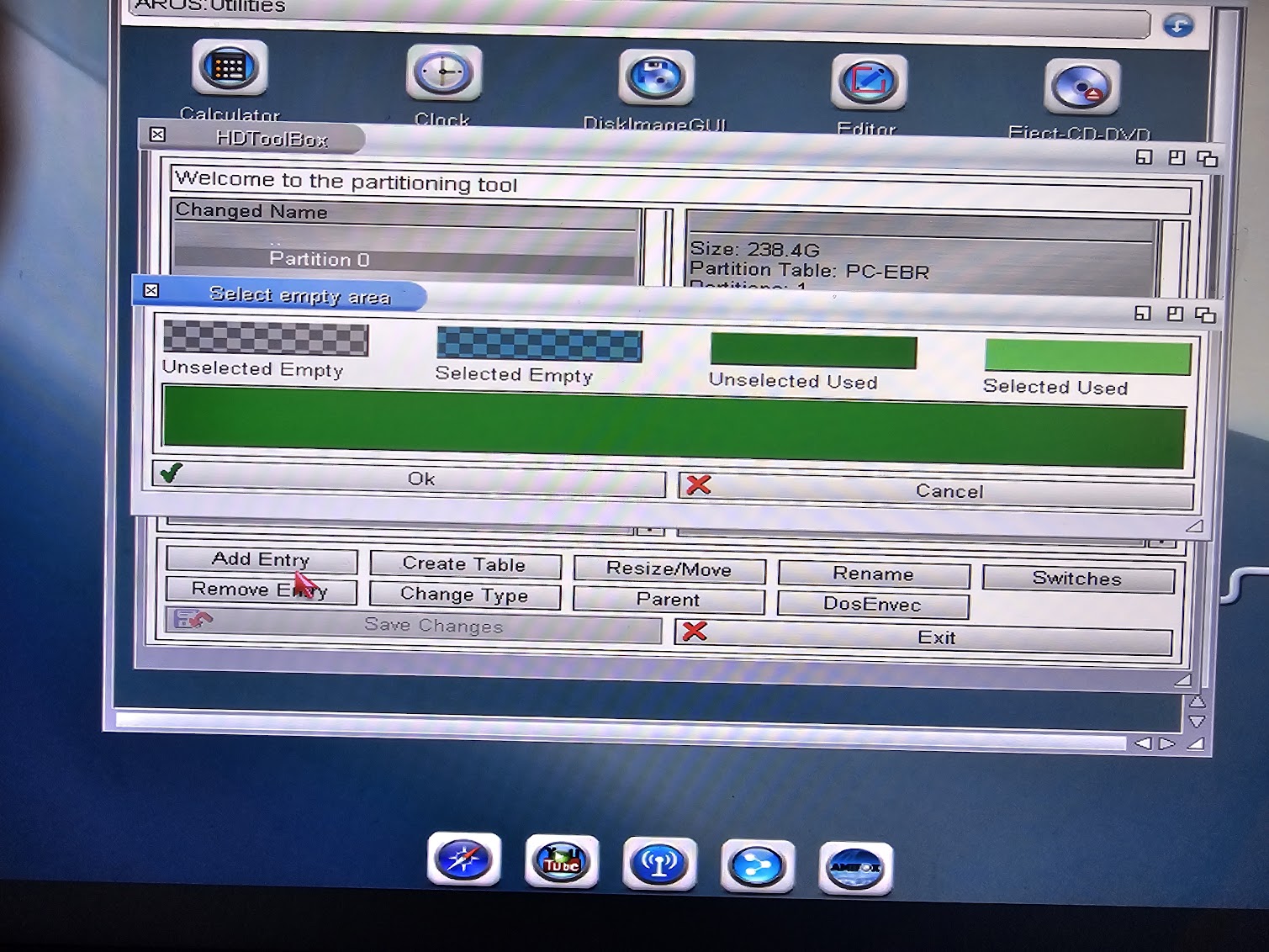
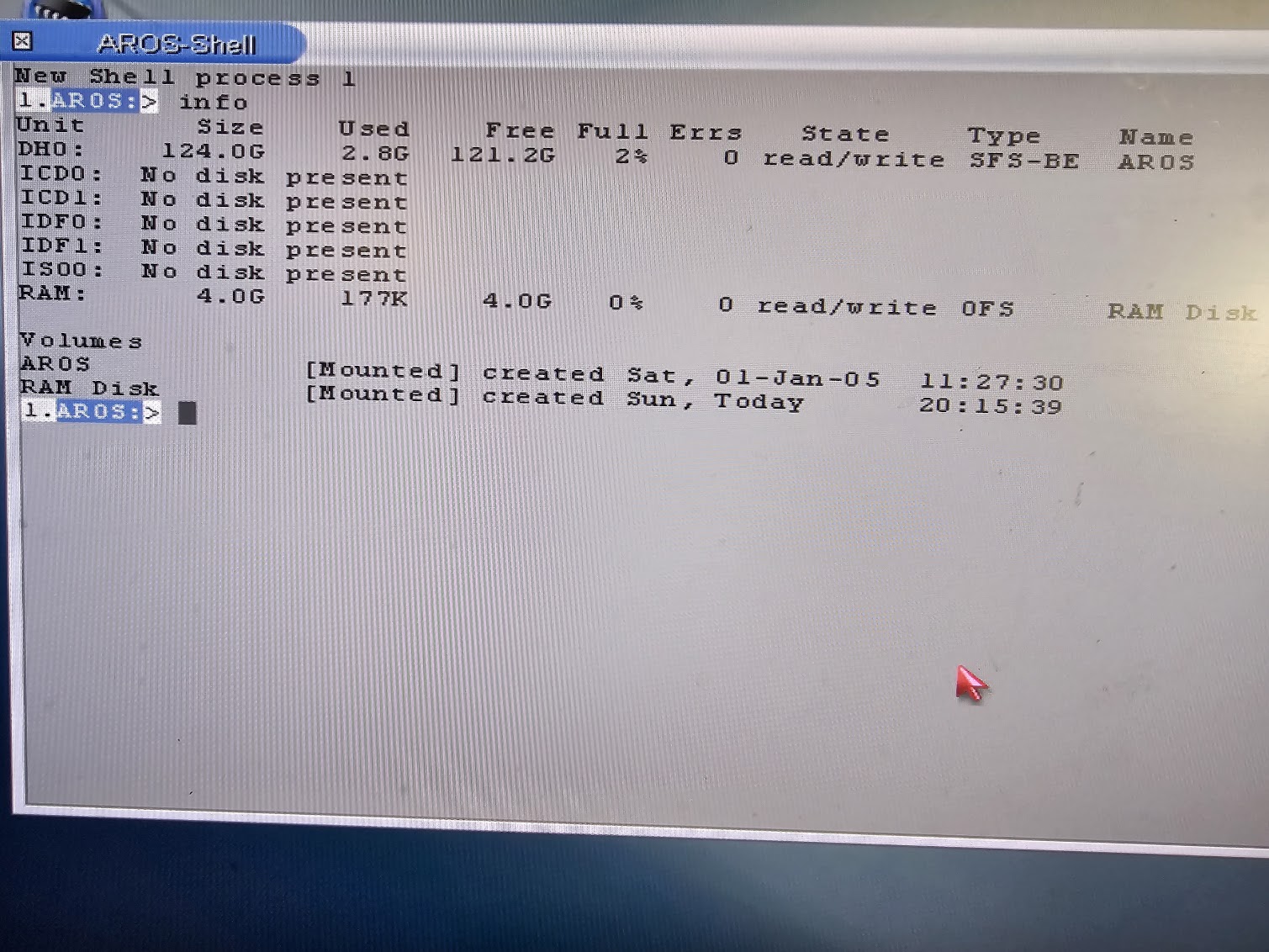
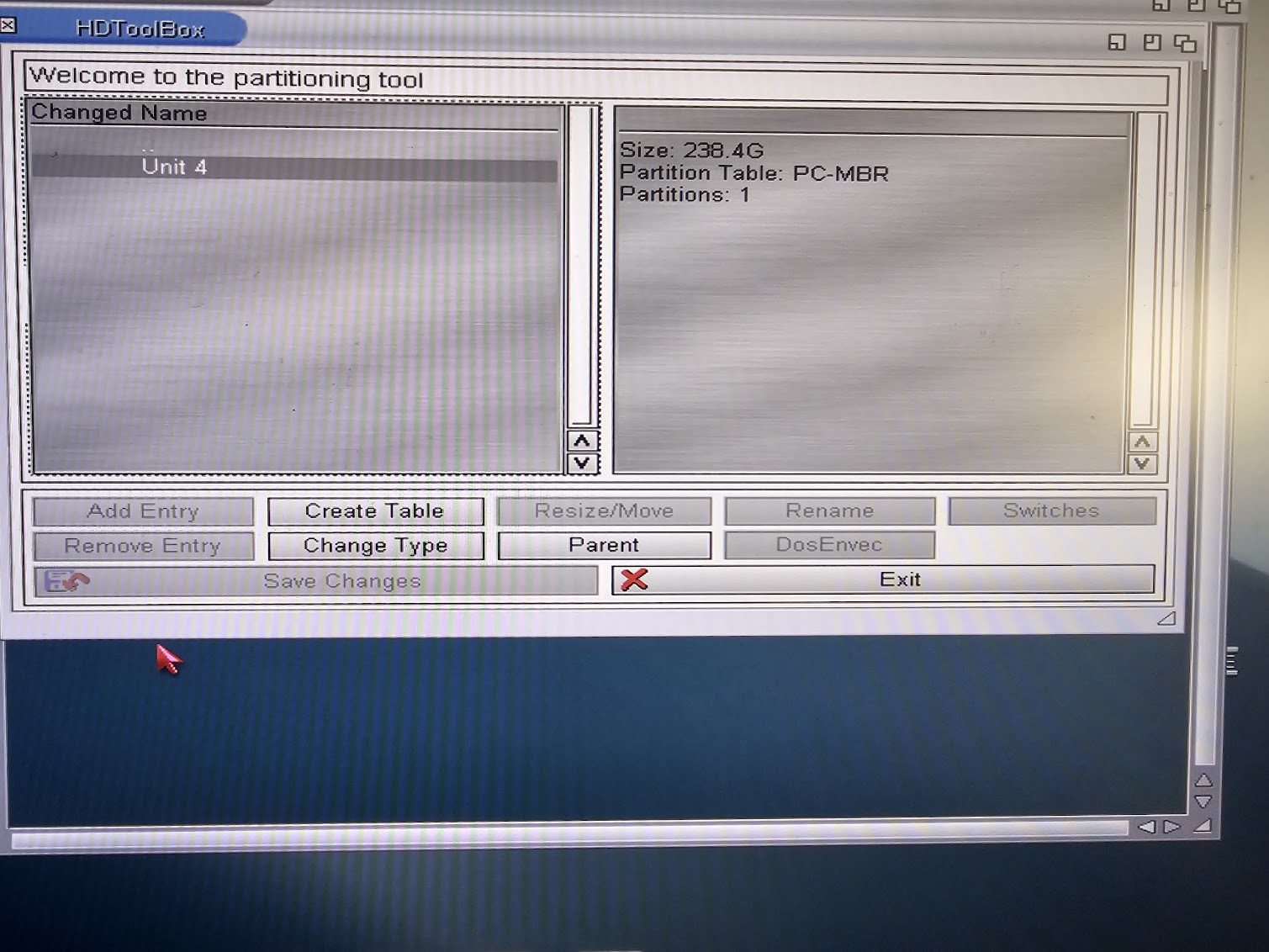
I have a 256GB disk, HDToolbox lists it as 238, which is fine. But from what I understand I only use half of i so The "first" partition0 which is listed as 238gb should have free space for a WORK partition but there's no "unused space" anywhere?
Or am I just wrong again??
In the other hand, I think I'll manage with 123.9GB it's more the habit of having a Work:
ami-elvis attached the following image:
partition0.jpg info.jpg hdtoolbox1.jpg
N
ntromansSenior Member
Posted 3 hours ago
[quote name=ami-elvis post=12785]@ami-elvis - No I'll stop now, everything works and I'm going to collect my Kickstarts and play with Amiberry and the old KOEI games that I haven't found in working versions for whd, find that Simplegit client (might be hard) or write my own (probably even harder) and then just enjoy my wonderful AROS machine.

I do wonder about HDToolbox though, that little piece of software that, as soon as you think you finally understand it, always proves you wrong. (didn't they rewrite it for AmigaOS3.2?)
I have a 256GB disk, HDToolbox lists it as 238, which is fine. But from what I understand I only use half of i so The "first" partition0 which is listed as 238gb should have free space for a WORK partition but there's no "unused space" anywhere?
Or am I just wrong again??
In the other hand, I think I'll manage with 123.9GB it's more the habit of having a Work:[/quote]

Have you created an RDB partition table for the AROS partitions? My SSD is set up as follows:

PC-MBR with 1 partition which is...

PC-EBR extended partition table with 1 partition which is...

RDB partition table with multiple partitions which are each...

SFS-BE of size <= 120 GB.

Cheers,
Nigel.
ami-elvisami-elvisJunior Member
Posted 3 hours ago
Hi, well this is the part I really should document. I never managed to get the Installer to setup Work partition for me and I always crash HDToolbox when I try to prepare them myself so I end up letting the installer do it.
I'll check it out tomorrow, there should be 120GB unused space somewhere although I couldnt find it.
Thanks!!
AMIGASYSTEMAMIGASYSTEMDistro Maintainer
Posted 2 hours ago
Don't use HDToolbox to create partitions; InstallAROS will do it all for you automatically and without errors!
You can view all discussion threads in this forum.
You cannot start a new discussion thread in this forum.
You cannot reply in this discussion thread.
You cannot start on a poll in this forum.
You cannot upload attachments in this forum.
You can download attachments in this forum.
Moderator: Administrator
Users who participated in discussion: deadwood, AMIGASYSTEM, ntromans, retrofaza, ami-elvis