Oh no! Where's the JavaScript?
Your Web browser does not have JavaScript enabled or does not support JavaScript. Please enable JavaScript on your Web browser to properly view this Web site, or upgrade to a Web browser that does support JavaScript.

AROS Archives - clean up

Last updated on 2 days ago
D
deadwoodAROS Dev
Posted 10 days ago
FYI I added the comment to description and replaced the previous version with 3.1.1 upload
D
deadwoodAROS Dev
Posted 5 days ago
Hi All,

We reached 1800 files on the archives! Thanks to all the developers and uploaders!
retrofaza, Farox, Amiwell79
N
NathanHMember
Posted 3 days ago
@AMIGASYSTEM,

The syntax file is looking for four files; exec.doc, intuition.doc, graphics.doc, and dos.doc in a docs directory located wherever you tell it to look. I changed the location to Development:Bin and added the docs directory with blank files of those names and get no more error messages but still get syntax highlighting. So it works fine with those adjustments.

The one bug I noticed, however, was that every time you use the mouse wheel and scroll past the bottom of the file you are editing you get a guru. That makes it pretty dangerous to use so I'm conditioning myself to not use the mouse wheel. That bug does not occur on the OS3 version. Thanks.

NathanH
AMIGASYSTEMAMIGASYSTEMDistro Maintainer
Posted 3 days ago
Sorry NathanH, I don't understand from the translation which software you are talking about!
F
FaroxMember
Posted 3 days ago

AMIGASYSTEM wrote:

@AMIGASYSTEM - A new version of Annotate 3.1.1 has been released, along with its source code:

http://www.onyxso...otate.html

The bug I found in Annotate 3.1 (on AROS, MOS OS3) has not been fixed. In the attached link, the Annotate developer explains the reason for this problem and how to solve it, even though syntax highlighting will no longer be available.

https://amigaworl...oryid=9217

I also tried compiling the Annotate 3.1.1 64-bit sources. The compilation did not report any errors, but the resulting binary does not seem to work.

I asked the Annotate developer if he could compile Annotate for 64-bit, and he said he did not have time to debug AROS.


I crosscompiled for Aros 64 bit and it start with the message "SEGLENGTH too short" (see shot 1 for complete message).
So i disable the code that check this SEGLENGHT and after running it it Segfault.
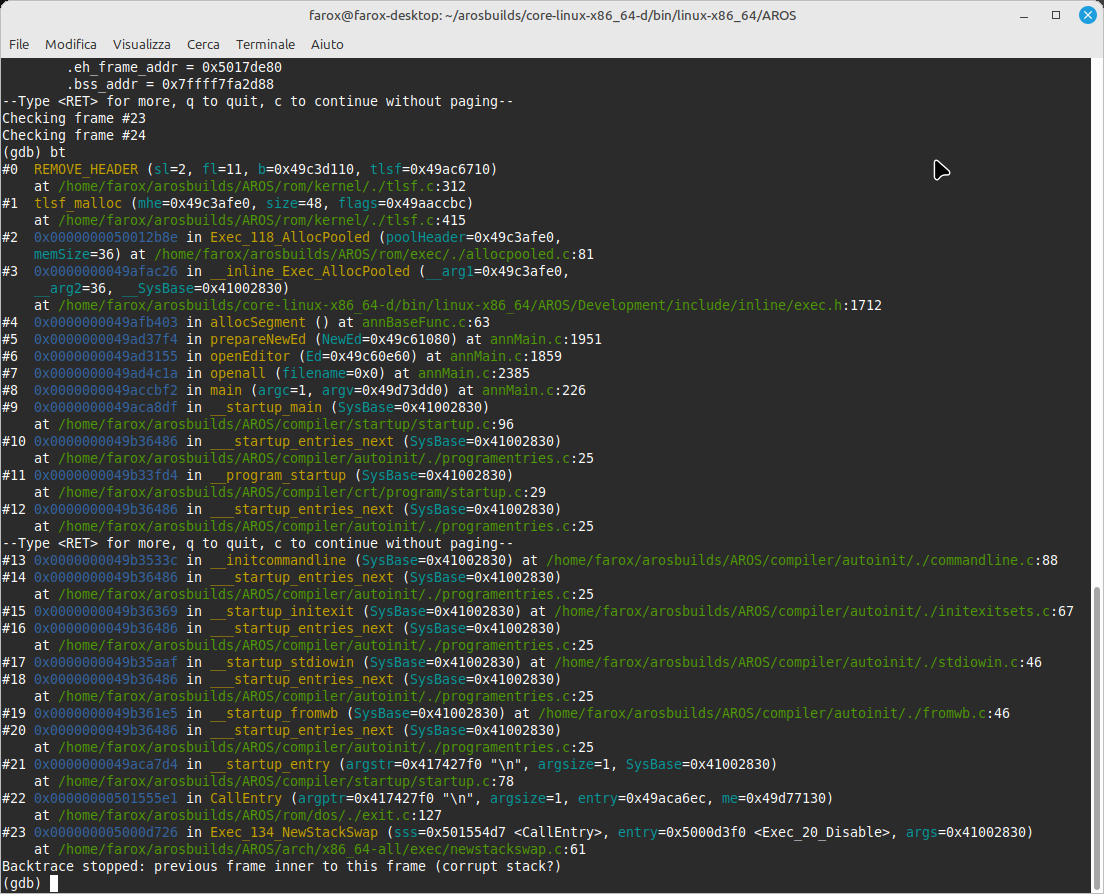
On the second shot is the session with GDB active...that tell to look at AllocSegment () at AnnBaseFunc.c line 62 where is

void* allocSegment() {
 int x;
 void *a=ALLOCPOOL; <--- this is the line where it segfault
 if(!a) {
 if(CurrentEditor) {


ALLOCPOOL is defined as
#define ALLOCPOOL AllocPooled(linePool,SEGLENGTH+4)

SEGLENGHT is defined as
#define SEGLENGTH 32
//allocSegment() uses SEGLENGTH+4

Anyone has some advices to make it work?
Edited by Farox on 28-11-2025 12:43, 3 days ago
Farox attached the following image:
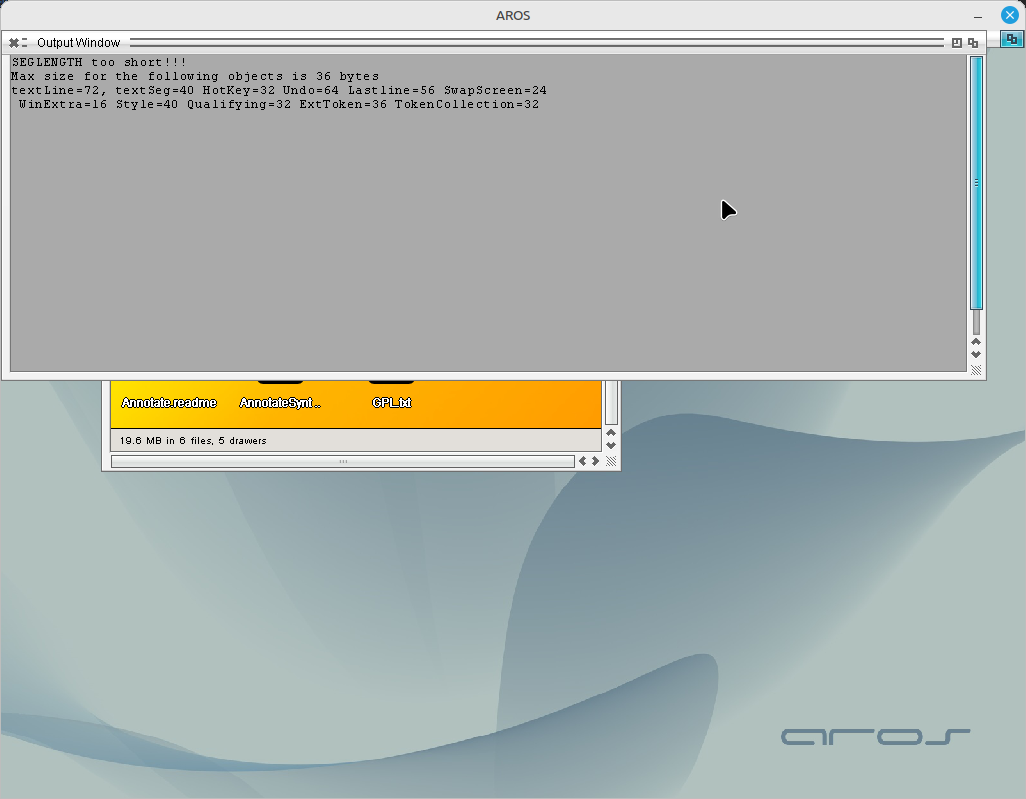
shot_1.png shot_2.png
AMIGASYSTEMAMIGASYSTEMDistro Maintainer
Posted 3 days ago
Farox, even in my compilation on AROS One, I had that message when running it from the Shell or from Icona with CLI in Tooltypes.

If, on the other hand, you run it normally from Icona on Wanderer, you don't get any message. If it works properly, it should open a File Request to load a document.
N
NathanHMember
Posted 3 days ago
@AMIGASYSTEM

Sorry, I was talking about how to get rid of the annoying syntax highlighting requestors in the new Annotate and still allow syntax highlighting.

Nathan
F
FaroxMember
Posted 3 days ago

AMIGASYSTEM wrote:

@AMIGASYSTEM - Farox, even in my compilation on AROS One, I had that message when running it from the Shell or from Icona with CLI in Tooltypes.

If, on the other hand, you run it normally from Icona on Wanderer, you don't get any message. If it works properly, it should open a File Request to load a document.


Ok i know it...what i was asking (with the shot of GDB ) is some expert to check why this code don't work on 64 bit, and if its possible to fix.
D
deadwoodAROS Dev
Posted 2 days ago
@All

I think it would make sense to continue the discussion on Annotate debugging into a separate thread as this can take several posts which are not related with AROS Archives management.

@Farox

The issue you are seeing is an efffect of memory corruption - for example some part of program writting into memory that it didn't allocate or writting beyong allocaged memory. The standard approach I use in such cases is to comment out all functionality from main() and confirm that issue is not happening. Then I uncomment functionality step by step until the issue starts happening again. This way I get the smallest amount of code needed to trigger then issue. Then I review this limited code and try to analyze/hunt for which part of that limited code is actually causing the issue.

There is also a brute-force method: you convert all ULONG local variables (or program structures fields) to IPTR and see if that solves the crash. If such then you need to find out which exact variable needed to be converted and which can stay as ULONG. This may or may not work of course.
A
Amiwell79Distro Maintainer
Posted 2 days ago
Deadwood on WCS package I forgot to include the catalogs, I need to replace it
D
deadwoodAROS Dev
Posted 2 days ago
Ok, approved the new package.
A
Amiwell79Distro Maintainer
Posted 2 days ago
thank youLike
A
Amiwell79Distro Maintainer
Posted 2 days ago
The manual also had to be included, that's why I replaced it as well
You can view all discussion threads in this forum.
You cannot start a new discussion thread in this forum.
You cannot reply in this discussion thread.
You cannot start on a poll in this forum.
You cannot upload attachments in this forum.
You can download attachments in this forum.
Moderator: Administrator
Users who participated in discussion: serk118uk, deadwood, AMIGASYSTEM, retrofaza, Amiwell79, miker1264, NathanH, Gundam, Farox