Oh no! Where's the JavaScript?
Your Web browser does not have JavaScript enabled or does not support JavaScript. Please enable JavaScript on your Web browser to properly view this Web site, or upgrade to a Web browser that does support JavaScript.

Kyvos v1.2.2

Last updated on 17 hours ago
AMIGASYSTEMAMIGASYSTEMDistro Maintainer
Posted 9 months ago
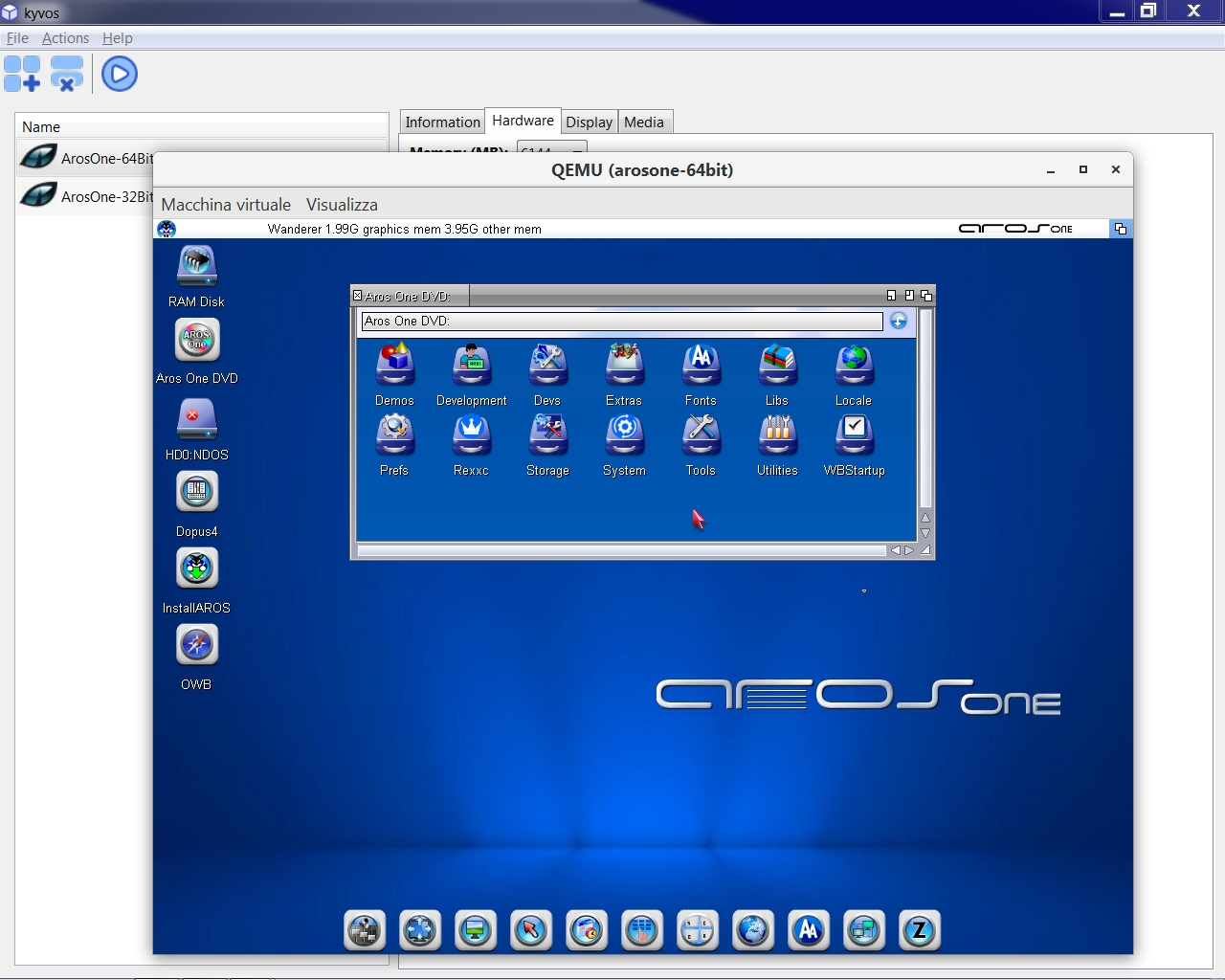
Kyvos is a user-friendly frontend for Qemu, designed to streamline the creation of AmigaOS 4, MorphOS and AROS emulated environments on Linux, MacOS, and Windows.

Initially, AROS and MacOS were not supported, but at my request and after providing some scripts on how to start AROS, developer George Sokianos has now included AROS a 32 bit and 64 bit distributions in this new version.

Info and Download, user manual also available
https://ko-fi.com...
D
deadwoodAROS Dev
Posted 9 months ago
It's very nice to hear AROS is supported in this solution as well Like
AMIGASYSTEMAMIGASYSTEMDistro Maintainer
Posted 9 months ago
Two more updates, 1.2.1 and 1.2.2, among the new features is another request of mine for AROS 64 Bit, namely the ability to set 6GB for those who only have 8GB on their PC.
AMIGASYSTEM attached the following image:
kyvos.jpg
walkerowalkeroNewbie
Posted 2 days ago
Firstly, I would like to thank AMIGASYSTEM for sharing information about Kyvos. I appreciate that.

I am already working on the next update, where I am making changes for a better support of AROS on QEMU. I am looking into adding more graphics cards options and the vmware is one of them.

Based on my tests I have both AROS and ArosOne 32bit version to boot on QEMU with -vga vmware, but I can't say the same about the 64bit. When I boot from the ISO, no matter what resolution I select on grub, I end up with a black screen nothing happening.

So, I am asking for your help to understand if I am doing something wrong. Is it tested successfully on QEMU, and should it work? Any information could be useful.

Also, I would like to ask if ati-vga should work.
D
deadwoodAROS Dev
Posted 2 days ago

walkero wrote:

@walkero

Based on my tests I have both AROS and ArosOne 32bit version to boot on QEMU with -vga vmware, but I can't say the same about the 64bit. When I boot from the ISO, no matter what resolution I select on grub, I end up with a black screen nothing happening.

So, I am asking for your help to understand if I am doing something wrong. Is it tested successfully on QEMU, and should it work? Any information could be useful.

Also, I would like to ask if ati-vga should work.


Yes, 64-bit AROS should work in QEMU. Here is the command line I use for testing


qemu-system-x86_64 -machine q35 -enable-kvm -m 8192 -drive media=disk,format=raw,file=disk-q35.img -smp cores=2 -cpu host -audio driver=sdl,model=es1370 -net nic,model=pcnet -net user -serial stdio -boot d -cdrom aros-pc-x86_64.iso -vga vmware


Which ISO were you testing?

With regards to ati-vga - no this one more likely will not work.
AMIGASYSTEMAMIGASYSTEMDistro Maintainer
Posted 2 days ago
@walkero
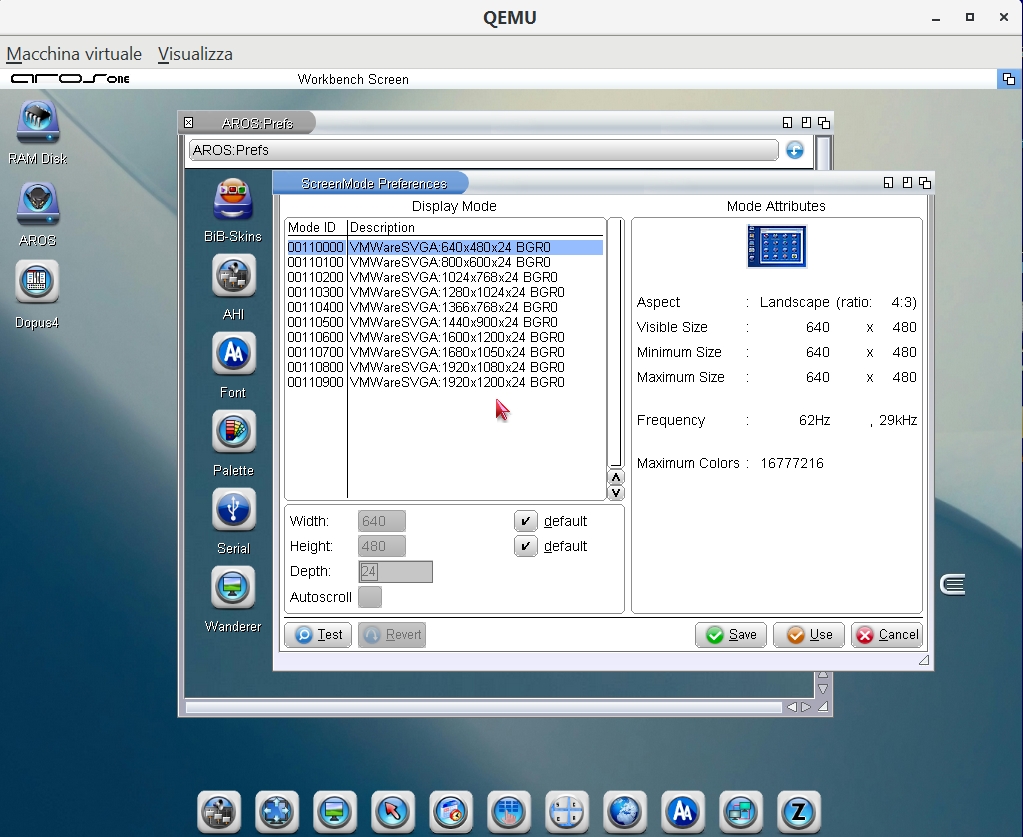
Hi walkero and welcome to arosworld. As you can see from the screenshot with QEmu, the VMware graphics card works well on AROS One 64-bit.

@deadwood
With AROS One 64-bit, I’ve noticed that the game Apotris runs quickly on VMware, with no slowdown in either VESA or Native mode, whereas on QEmu it’s very slow. What could be causing this? I’ve used the same AROS One 64-bit
AMIGASYSTEM attached the following image:

vmware-svga.jpg
cdimaurocdimauroJunior Member
Posted 1 day ago

AMIGASYSTEM wrote:

@AMIGASYSTEM - @walkero
Hi walkero and welcome to arosworld. As you can see from the screenshot with QEmu, the VMware graphics card works well on AROS One 64-bit.

@deadwood
With AROS One 64-bit, I’ve noticed that the game Apotris runs quickly on VMware, with no slowdown in either VESA or Native mode, whereas on QEmu it’s very slow. What could be causing this? I’ve used the same AROS One 64-bit

It's because VMWare is a virtualizer, so there's very little overhead between the native (host) and virtualized (guest) execution: it's like that the code is running natively (ROUGHLY speaking).

QEmu, on the other hand, is an emulator. So, instructions on the AROS environment are decoded, interpreted, and executed, which requires A LOT of performance.
QEmu has a JIT to mitigate it, yet it cannot be close to the execution speed of a virtualizer.
AMIGASYSTEMAMIGASYSTEMDistro Maintainer
Posted 1 day ago
As far as I know, QEMU is also a virtualisation platform (QEMU+KVM)
cdimaurocdimauroJunior Member
Posted 1 day ago
Yes, it can use some virtualization technology, but it's not at the level of VMWare.
mattson62mattson62Member
Posted 1 day ago
@walkero Hello what a great day it is having you in AROSWORLD and thanks for adding AROS to your project!!!
D
deadwoodAROS Dev
Posted 1 day ago

AMIGASYSTEM wrote:

@AMIGASYSTEM

@deadwood
With AROS One 64-bit, I’ve noticed that the game Apotris runs quickly on VMware, with no slowdown in either VESA or Native mode, whereas on QEmu it’s very slow. What could be causing this? I’ve used the same AROS One 64-bit


One thing you can try is making sure QEMU is started with -enable-kvm option. Without it - it works in emulator mode. Also if you have another VM running at the same time (like a VMWare VM), QEMU will ignore the -enable-kvm option.
AMIGASYSTEMAMIGASYSTEMDistro Maintainer
Posted 17 hours ago
Thanks, deadwood. The -enable-kvm parameter is not supported on Windows systems; KVM is a virtualisation technology native to the Linux kernel.

From what I’ve read, to achieve high performance on Windows (similar to KVM on Linux), QEMU uses other accelerators where supported by the PC and the operating system: Intel HAXM, used primarily on Intel processors, and WHPX, used to enable acceleration via Windows Hyper-V.

-accel haxm = To use Intel HAXM
-accel whpx = To use Hyper-V
You can view all discussion threads in this forum.
You cannot start a new discussion thread in this forum.
You cannot reply in this discussion thread.
You cannot start on a poll in this forum.
You cannot upload attachments in this forum.
You can download attachments in this forum.
Users who participated in discussion: deadwood, AMIGASYSTEM, cdimauro, mattson62, walkero