I'm having some real difficulties trying to compile my AROS 64bit.
I'm not really sure why but it can't download the needed packages. The Internet is connected and active in my Ubuntu virtual machine. I'm using VMWare because VirtualBox isn't very good. I've compiled it successfully in the past year so the packages should already be in Portsources.
It couldn't find GCC then acpica-unix, etc, etc. Why can't it download the needed packages? I have to manually download then copy to Portsources There must be an easier way to do this.
 AMIGASYSTEMDistro Maintainer
Posted
3 days agoHave you tried compiling the source code directly using AROS GCC?
If you’ve downloaded AROS One, you can simply compile it from a shell!
Yes. I have that link already.
deadwood provided it.
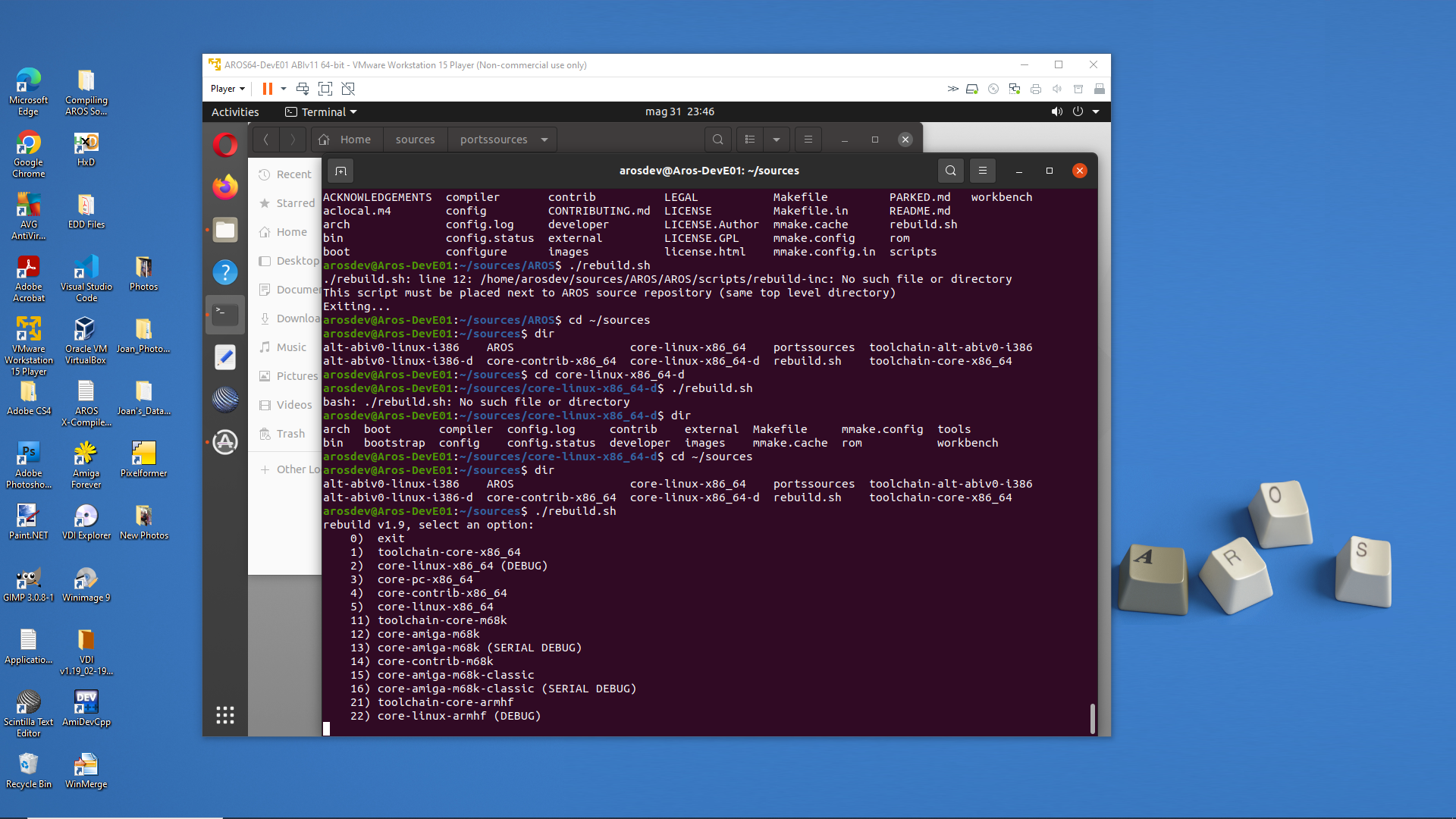
So is it better to use make or ./rebuild.sh to build AROS ?
My Ubuntu seems to have problems with fetching packages for some reason. I don't think the problem is compiler issues. More like Ubuntu.
Is there a master list of repositories or archive sites to fetch from? Maybe that needs to be updated on my end? I found this also...Update Repositories by updating sources list. Also NAT connection vs. Bridge connection in the VMWare Player.
Edited by miker1264 on 30-05-2026 12:33,
3 days agoThere is no master list - each package sits in it's separate mmakefile.src.
Also if you are able to compile ABIv0 you have almost all of the needed packages (indeed GCC and acpi would be different).
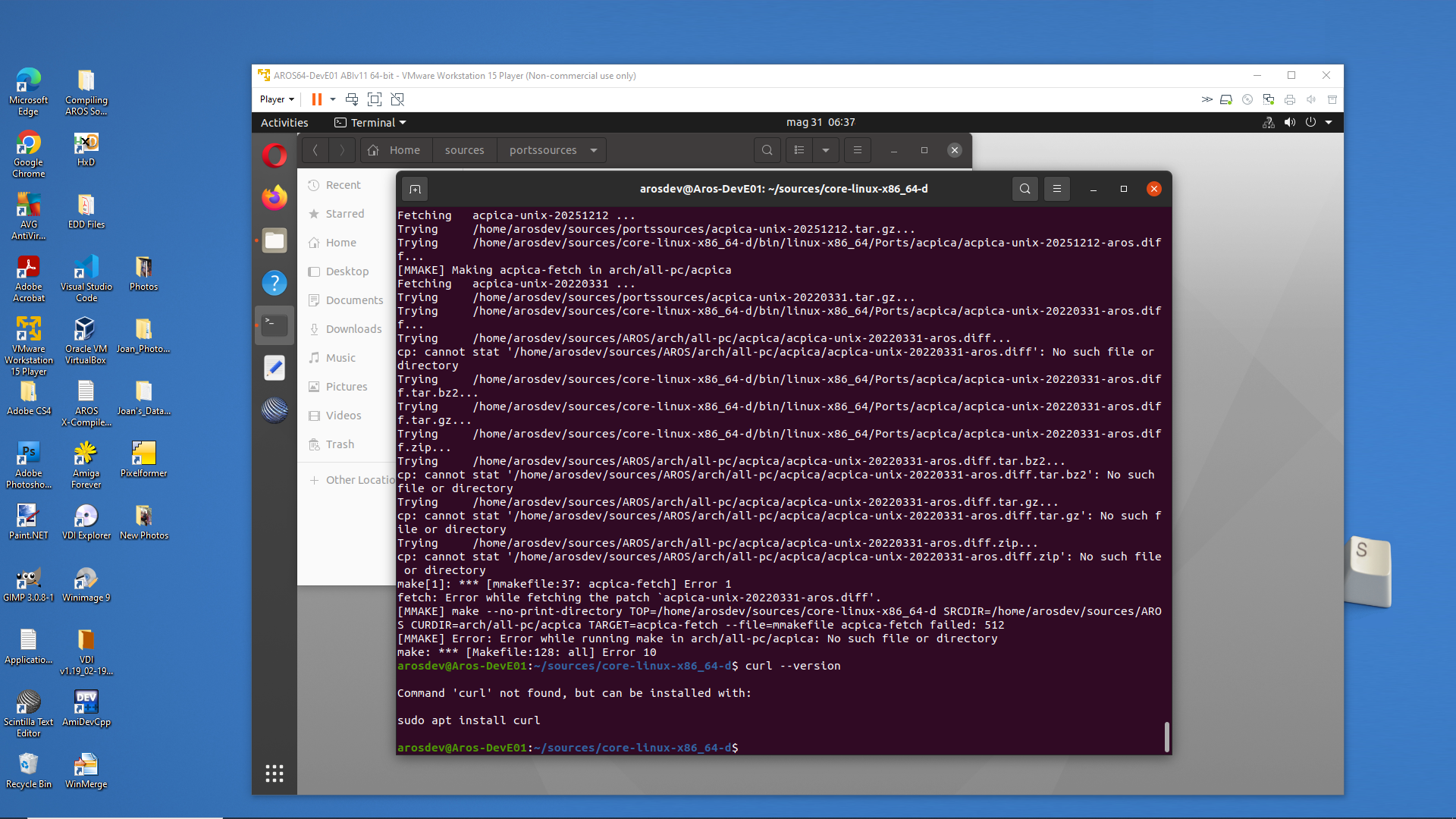
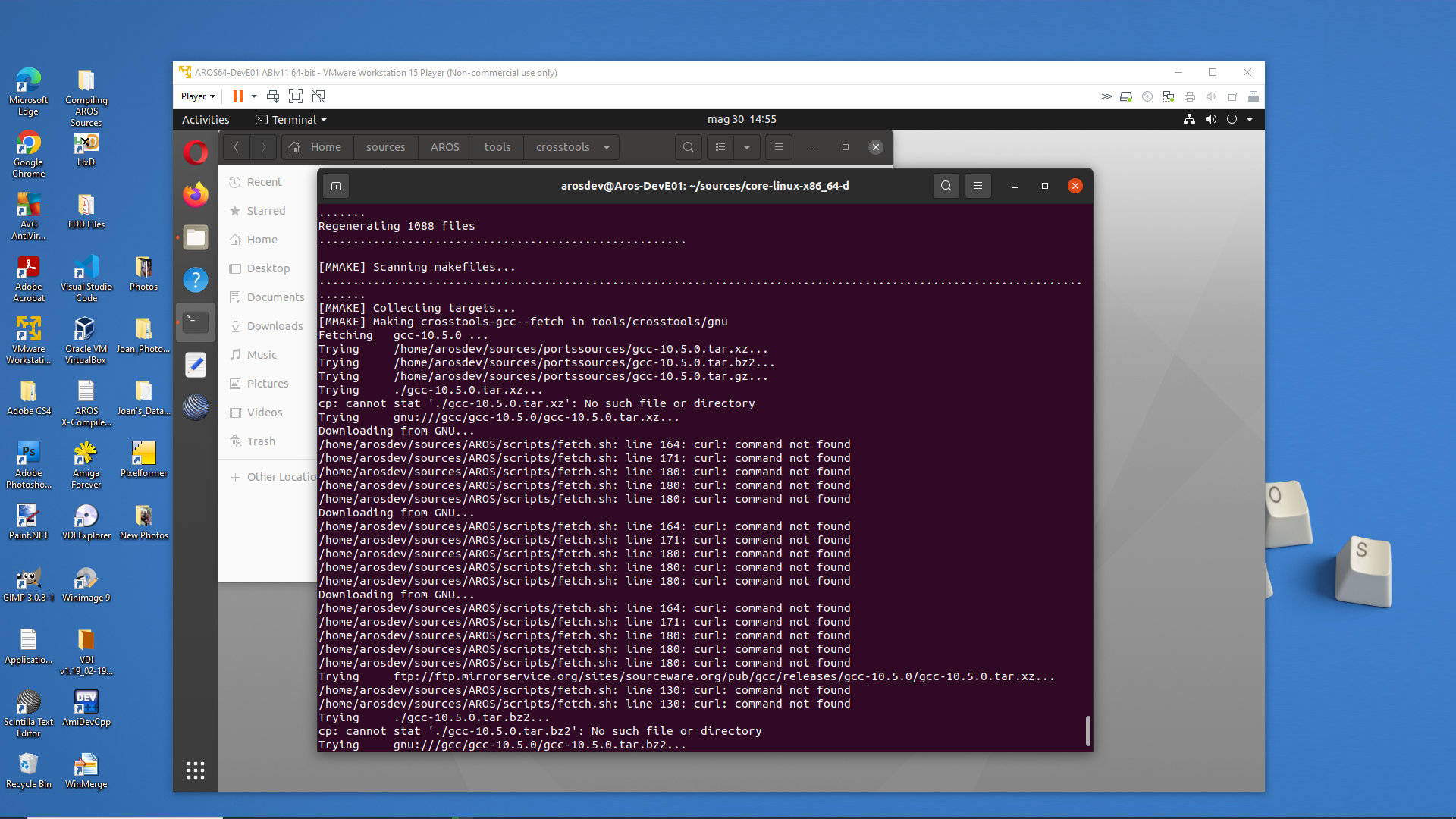
Do you have curl installed on your Ubuntu? It's not installed by default. Also if you paste the errors you are getting this might help resolve the issue.
I don't believe I have curl installed. My ABIv0 is working properly. Can I copy the packages from Portsources from ABIv0 to ABIv11 ? Are they the same packages?
I'll post some screenshots as soon as I can. The errors I'm getting are pretty much the same. It says "fetching [package] then it tries several locations including Portsources then it stops compiling.
Maybe I can clear the packages cache to force it to download new ones?
Edited by miker1264 on 30-05-2026 12:44,
3 days agoThey are almost the same but GCC and acpi are for sure different. Install curl and that might actually solve the issue at your end.
What does curl do? Does it help resolve troublesome url's ? That would helpful.
I'll install curl and try again later today. I'll post some screenshots.
curl is a tool used by build system to download archives. If you don't have it installed, every download during building of AROS will fail.
Sure enough I checked for curl --version. You can see in the screenshot it's not installed for some reason.
I had to do sudo apt update and sudo apt upgrade before installing.
miker1264 attached the following image:
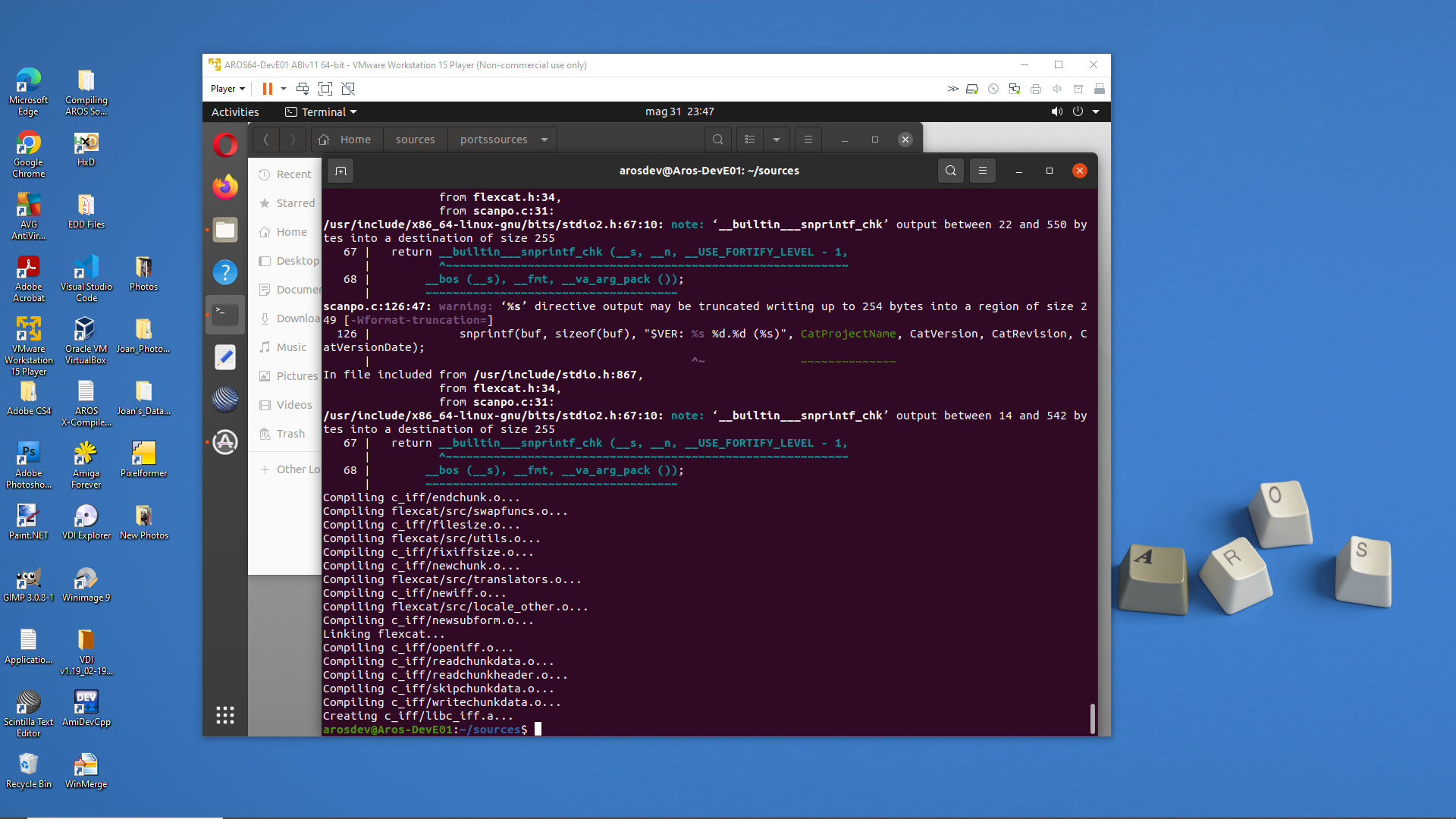
It installed curl correctly. The compiling stated well and it was fetching correctly but the terminal froze. I'm about to abort and try again using ./rebuild.sh option 2.
It started compiling for a short time then it stopped. I didn't see a error. Does that mean AROS is already compiled so there's nothing to do?
I'm attempting to backup all my unstaged changes by backing up my sources in Ubuntu to an SD card which is slow but I think it's working. I'm planning to delete all my sources then do a full git clone, rebuild the toolchain and rebuild AROS. I'll just rebuild all of it from the beginning.
I have a fast m.2 SSD now which is 15x faster than the old mechanical drive on my Toshiba laptop I was using. It took 3hrs to rebuild on it. Maybe now it will take only 45min.
I cloned the sources again and I used ./rebuild.sh option 1 to build the toolchain. It stopped at flexcat.
Edited by miker1264 on 31-05-2026 20:43,
2 days ago
miker1264 attached the following image:
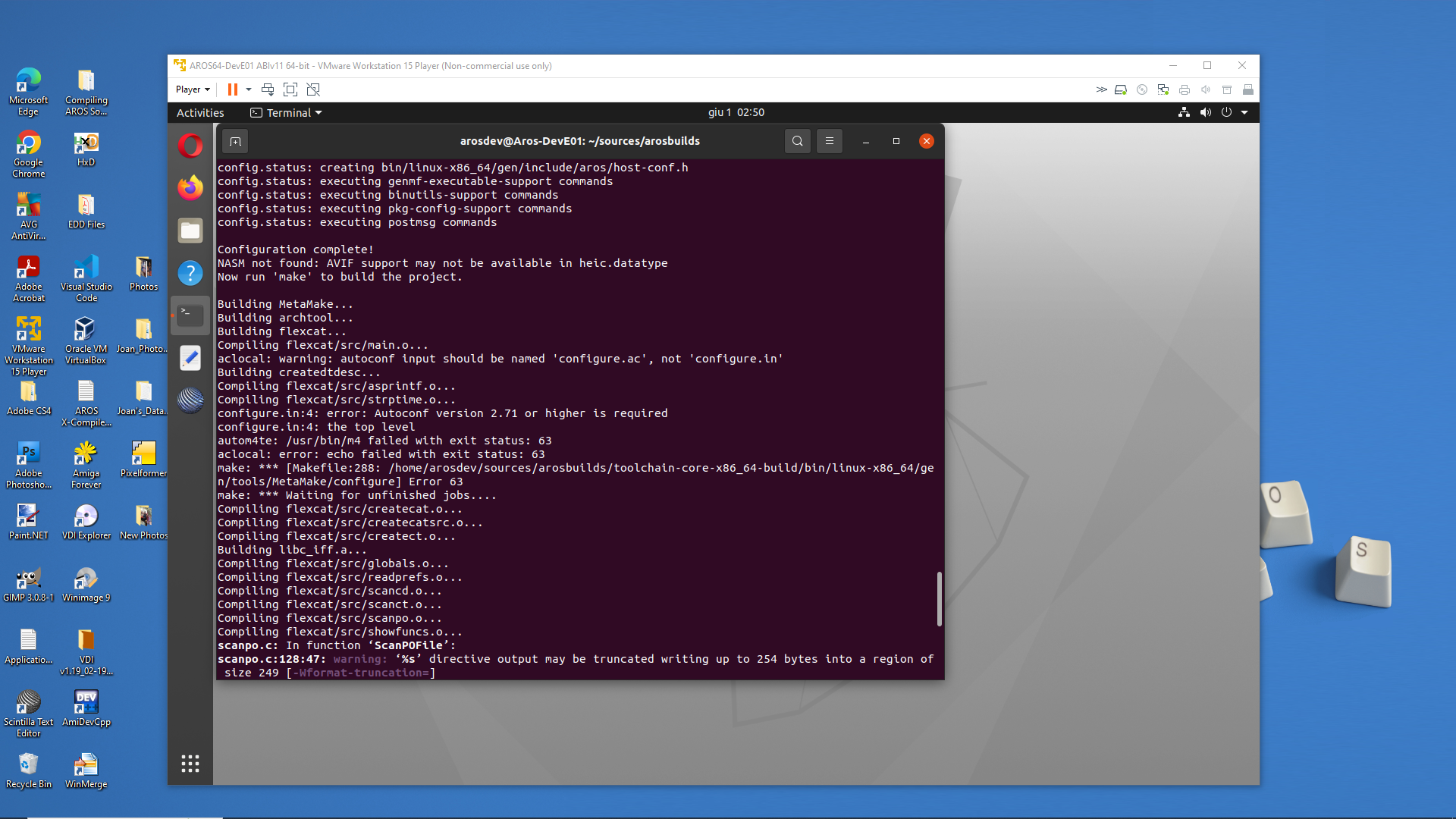
Here is the flexcat errors in another screenshot. I'm not sure why it keeps stopping here.
miker1264 attached the following image:
What version of autoconf you have installed? The error points that you either have an old version or no autoconf installed at all?
For some reason I believe my virtual machine for building ABIv11 is haunted or cursed! :-)
It's strange because my ABIv0 virtual machine is working fine. But it's a copy of the original VMDK that I also used for the ABIv11. So I have a few other options.
I am currently making a copy of the original again to delete the sources and try again. If that doesn't work I will setup a completely new virtual machine in VMWare then install Ubuntu and follow Install.md That should definitely work correctly!!
Edited by miker1264 on 02-06-2026 12:18,
37 minutes agoBe sure to install dependencies (sudo apt-get install line in tutorial). If you are missing autoconf, it suggests dependencies were not installed.

 Does the build finish after installing curl?