It's a little sad that someone with such a following opens the system and shows past content. In the comments, I also see "pure nostalgia."
We have SMP, we have Crafts, we have Limpet, and it turns out to be like yet another way to run software from the Amiga 500.
Edited by coffeecat on 01-11-2026 11:21,
2 days agoWell, the distro is reporting the status as of early October. The update is on my desk, but neither Limpet nor Craft are included because they're not available for aarch64.
Great news. I'll add Limpet to the new version of piAROS. I couldn't find Vector Craft.
By the way, the comments on this video have been very positive. In a while, when more software is available and I refresh the graphical page, we'll do a second opening – we'll send the information to Chris. It won't be just nostalgia anymore.
I think ARM on RPi has the biggest potential to attract new users
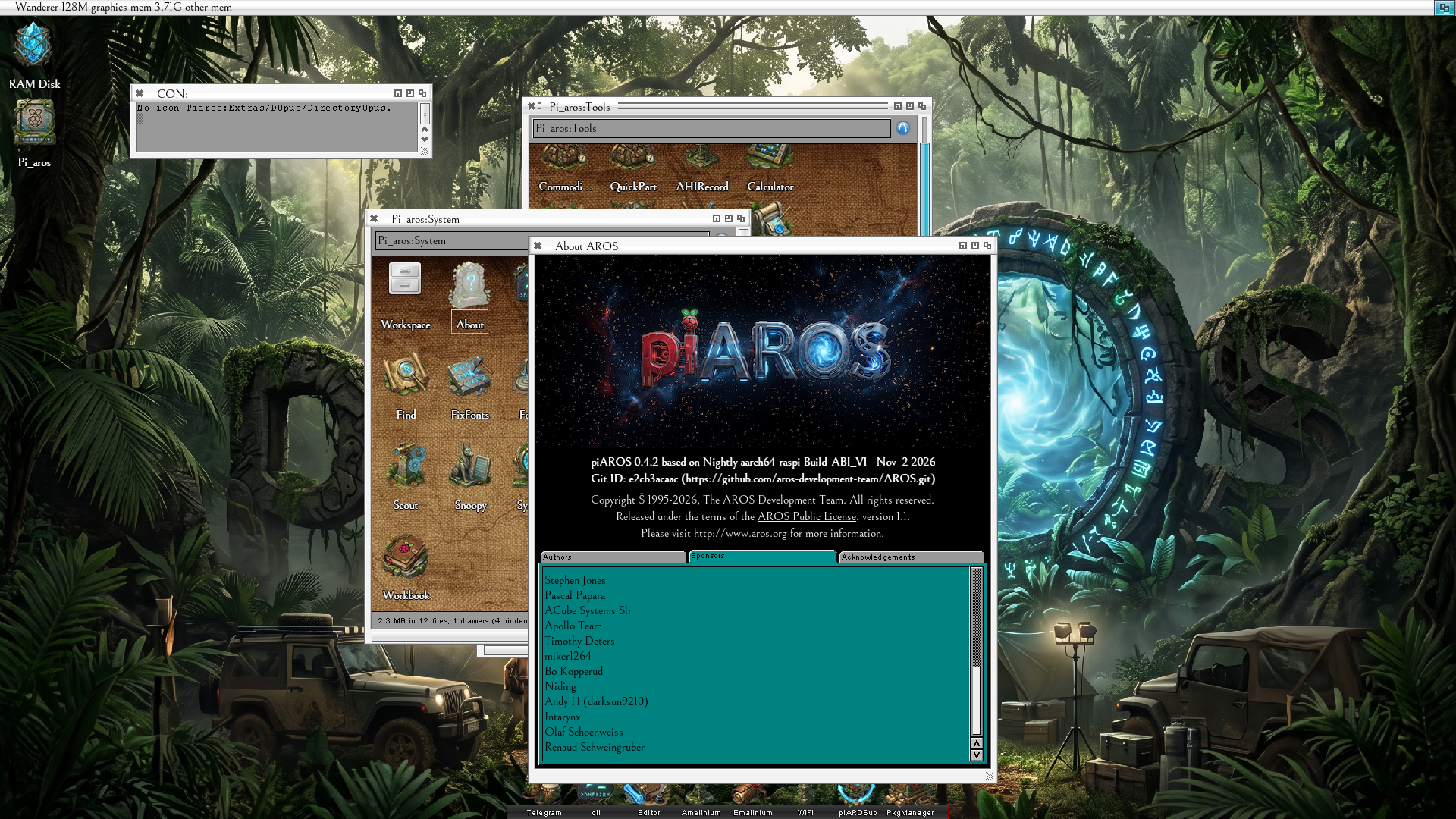
Wow! I downloaded the Pi_Aros distro that was uploaded on Nov 2, 2026 from Internet Archive. I am so impressed.
I'm so excited about the possibilities of AROS running on Raspberry Pi. I'm running a Pi400 if you're curious... and everything I tested works! Sure, there are a few small anomalies here and there but it's mostly working.On startup it complains about a missing icon for dopus4, but the icon is there. So, it's a minor inconvenience.
It boots so fast it feels like my Amiga 1200 with PiStorm32 Lite running Caffeine OS (Amiga OS 3.9+).
The Pi400 is a wedge design similar to the Amiga 500/600/1200 so of course it feels really familiar.
I don't know what font is being used but I really like it and MUI/Zune looks so good on the Raspberry Pi.
I'm going to start contributing to this effort right away. First, I have a bunch of custom window themes and I will make some more colored drawer icons. One of the really nice things about Pi_Aros is that it used a FAT32 micro sd card. So I just put it in my card reader and transfer files. For my real Amiga I also use a FAT32 CF Card via PCMCIA slot.
Edited by miker1264 on 03-11-2026 05:47,
11 hours ago
miker1264 attached the following image:
I had some weird issue with my RPI500 where the mouse pointer would be visible and usable, but the whole display is all black.
I could drag the screen down and get a grey background visible.
After a few long sessions with a clanker, it figured out my RPI500 leaves alpha channel as 0x0, which makes all "gfx" transparent, and hence black.
If anyone else get this, I have a small patch for it made by claude, that made the display work for me at least:
more patches/vcgfx-hvs6-opaque-screens.patch
diff --git a/arch/arm-native/soc/broadcom/2708/hidd/vcgfx/vcgfx_hvs6.c b/arch/arm-native/soc/broadcom/2708/hidd/vcgfx/vcgfx_hvs6.c
index 53d6d685..dfaf688b 100644
--- a/arch/arm-native/soc/broadcom/2708/hidd/vcgfx/vcgfx_hvs6.c
+++ b/arch/arm-native/soc/broadcom/2708/hidd/vcgfx/vcgfx_hvs6.c
@@ -292,6 +292,15 @@ BOOL vc4_hvs6_takeover(struct VideoCoreGfx_staticdata *xsd, ULONG fb_phys,
hvs6_plane(dst, src, (UQUAD)fb_phys, fb_pitch, st->h6_FbPTR0,
0, 0, fb_width, fb_height);
}
+
+ /* Screens are opaque, and every plane but the cursor is built from this
+ * slot: take fixed alpha whatever the firmware entry carries. AROS bitmaps
+ * have alpha 0, so with per-pixel alpha (CTL0 bits 19:18 = 0, as the
+ * Pi 500 firmware leaves them) nothing of a screen shows. The cursor
+ * clears the bits again for its own alpha. */
+ hvs6_wr(dst + HVS6_ENT_CTL0 * 4,
+ hvs6_rd(dst + HVS6_ENT_CTL0 * 4) | HVS6_CTL0_ALPHAMASK);
+
hvs6_wr(hvs6_slot(st, HVS6_SLOT_CUR), HVS6_CTL0_EMPTY);
hvs6_wr(hvs6_slot(st, HVS6_SLOT_END), HVS6_CTL0_END);
If the AROS project have issues with AI code (understandable if so) please read the diff and let yourself be inspired by it to fix it with your own code.
For pi_Aros does GCC work in the shell for compiling for Aarch64 ?
I was hoping it does but I assume it doesn't. I will check that later today.
Edited by miker1264 on 03-11-2026 14:21,
2 hours ago