Oh no! Where's the JavaScript?
Your Web browser does not have JavaScript enabled or does not support JavaScript. Please enable JavaScript on your Web browser to properly view this Web site, or upgrade to a Web browser that does support JavaScript.

AROS One ABIv11 64Bit Work In Progress

Last updated on 1 hour ago
AMIGASYSTEMAMIGASYSTEMDistro Maintainer
Posted 5 days ago
Some improvements, perhaps the last one!

- In "Details," if you had to select multiple files to move, you'd get errors because the move would start immediately.
- In "Details," the small icons are now centered by the arrow if you grab them with the mouse and move them. Previously, they remembered the icon size and were off-kilter, sometimes even out of place.
- In "Details," the view by size and date can now be moved and expanded, always leaving a small space between columns.
- The search filter by extension now also searches for files; just type the first three letters.
AMIGASYSTEMAMIGASYSTEMDistro Maintainer
Posted 5 days ago
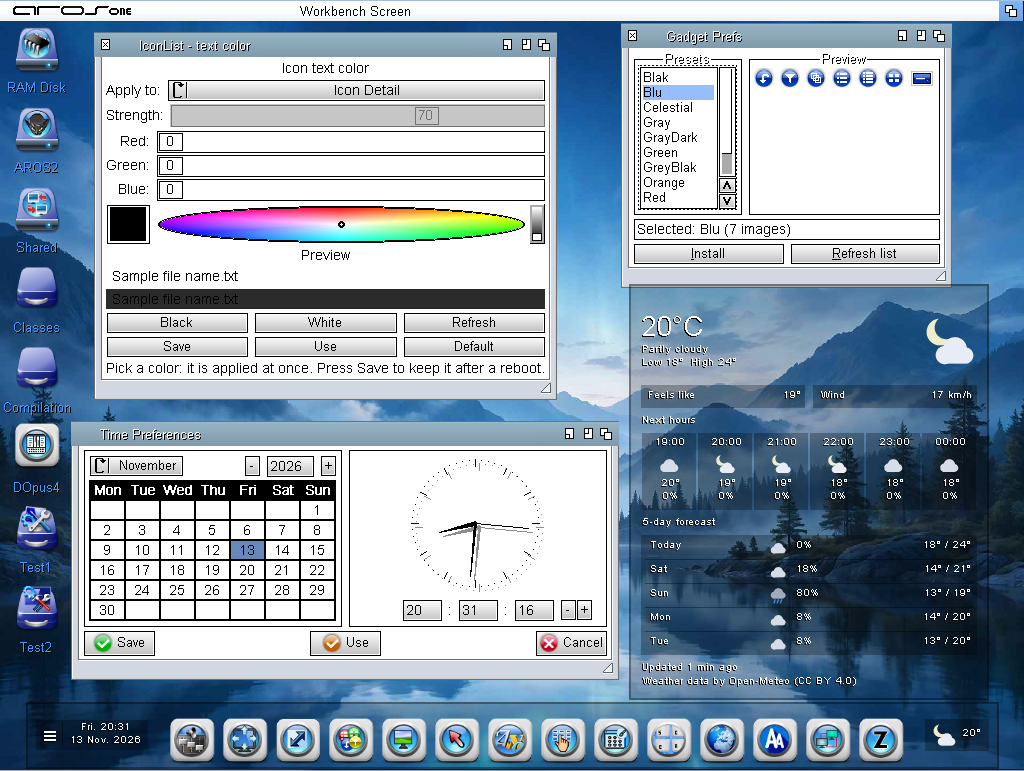
With this, I believe I have finished the improvements to Wanderer. In this screenshot, you can see a system application that allows you to change the font color for icons in Wanderer including those in windows and in the 'Detail' view.

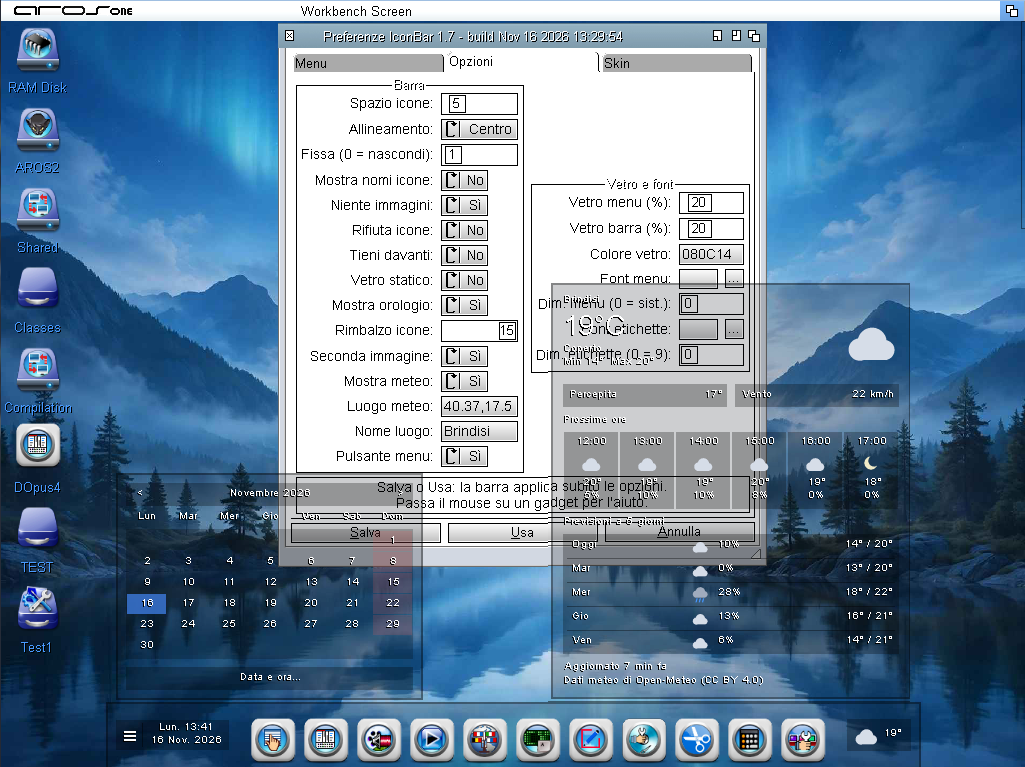
Furthermore, the IconBar lets you view the time when you click on the clock, while clicking on the weather display on the opposite side will open a weather station for your city.
AMIGASYSTEMAMIGASYSTEMDistro Maintainer
Posted 4 days ago
The IconBar project, based on BoingIconBar, is complete. Clicking on the time on the left-hand side opens a transparent calendar; clicking on the date and time within that calendar launches the system timer.

On the right side of the bar, clicking on the weather indicator opens a transparent view of the weather station for your city.

www.arosworld.org/infusions/forum/attachments/iconbar.png
AMIGASYSTEMAMIGASYSTEMDistro Maintainer
Posted 3 days ago
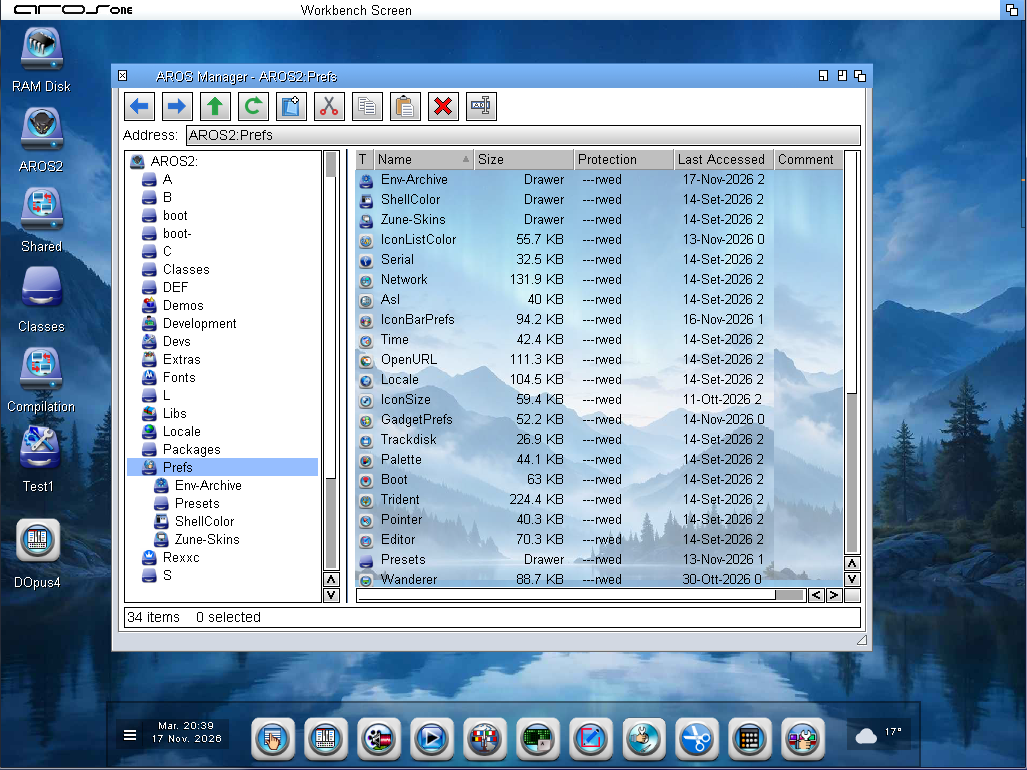
www.arosworld.org/infusions/forum/attachments/aros_manager.png


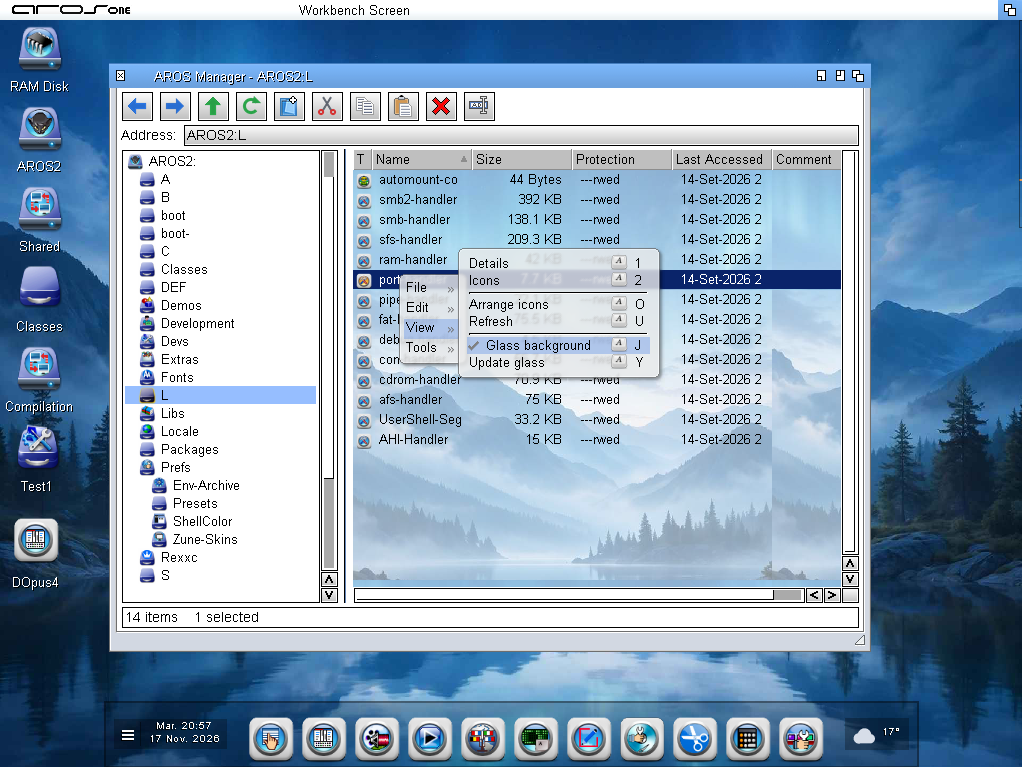
www.arosworld.org/infusions/forum/attachments/aros_manager_1.png


AROS One also features a new Windows-style File Manager, but it inherits all of Wanderer’s functions.
I created two versions: one with transparency, which looks nice but isn’t very usable in a File Manager positioned in the center of the screen due to artifacts that occur when certain graphical elements overlap.

To work around this, the mirror version will have a manual toggle you can enable it when needed, and it reverts to normal upon exit.
The file manager is called AROS Manager, and by leveraging Wanderer’s features, it includes all the files associated with Wanderer’s tools.

The appearance is pleasing; I’ve tweaked and replaced the button images created by I.A. The icons, though small, still retain their glow and double-sided design. A few more tweaks and a few additional buttons are needed, and it will be available on AROS One, which I hope to release as soon as possible.

I’m not following the trend of black backgrounds in apps even though they’re technically feasible because black is too dazzling for my aging eyes.
Edited by AMIGASYSTEM on 17-11-2026 14:00, 3 days ago
Argo, Amiwell79, x-vision
AMIGASYSTEM attached the following image:
aros_manager.png aros_manager_1.png
S
sonountalebanMember
Posted 22 hours ago

AMIGASYSTEM wrote:

@AMIGASYSTEM - I’m not sure if AROS One can provide a solution; could you send me something to test? Perhaps I can identify the issue with the help of Claude.


I'm already using Claude Code, but so far nothing. Next week I think I'll release it anyway, this crash happens occasionally after 2-3 hours of playing in a row (more rarely earlier) and however it doesn't jeopardise much the playability of this great game, it lets users save game sessions at any time fortunately, too.
R
retrofazaDistro Maintainer
Posted 14 hours ago

sonountaleban wrote:

@sonountaleban -

AMIGASYSTEM wrote:

@AMIGASYSTEM - I’m not sure if AROS One can provide a solution; could you send me something to test? Perhaps I can identify the issue with the help of Claude.


I'm already using Claude Code, but so far nothing. Next week I think I'll release it anyway, this crash happens occasionally after 2-3 hours of playing in a row (more rarely earlier) and however it doesn't jeopardise much the playability of this great game, it lets users save game sessions at any time fortunately, too.


If you're testing on AROS One 1.3, this kind of crash is possible. It was a kernel bug that Deadwood fixed in the latest release of the system. It should no longer be present in AROS One 1.4. (If you'd like, you can test it on AROS.games, which is already running the new base version of the system.)
S
sonountalebanMember
Posted 9 hours ago

retrofaza wrote:

@retrofaza -

sonountaleban wrote:

@sonountaleban -

AMIGASYSTEM wrote:

@AMIGASYSTEM - I’m not sure if AROS One can provide a solution; could you send me something to test? Perhaps I can identify the issue with the help of Claude.


I'm already using Claude Code, but so far nothing. Next week I think I'll release it anyway, this crash happens occasionally after 2-3 hours of playing in a row (more rarely earlier) and however it doesn't jeopardise much the playability of this great game, it lets users save game sessions at any time fortunately, too.


If you're testing on AROS One 1.3, this kind of crash is possible. It was a kernel bug that Deadwood fixed in the latest release of the system. It should no longer be present in AROS One 1.4. (If you'd like, you can test it on AROS.games, which is already running the new base version of the system.)


Ok, I'll give a try, cheers.
AMIGASYSTEMAMIGASYSTEMDistro Maintainer
Posted 1 hour ago
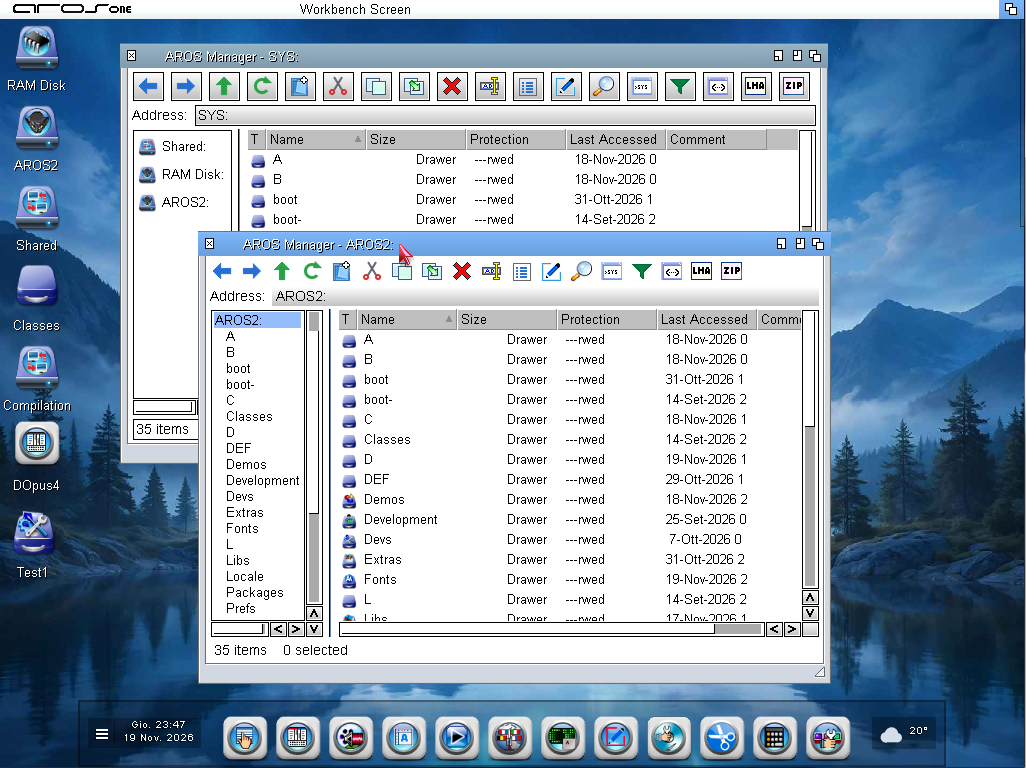
www.arosworld.org/infusions/forum/attachments/arosmanager.png


Many improvements to ArosManager; I left out the transparency features because they didn’t provide optimal visibility.
Here are some of the new features:

- GUI view with or without button panels (Images); see screenshot
- View by Icon, All Files, Details, or Details of All Files
- Cut, Copy, and Paste Files
- Create LHA archives (full, native 64-bit version compiled)
- Create ZIP archives
- Run Arexx scripts
- Run Regina scripts
- Run automated scripts
- Main window now has more space and larger icons
- Drag and drop files to copy or move them
- Resize tabs (by name, by size, etc.)

In development:
- Creating 7zip archives (latest version of Zzip compiled; the new version of 7zDec has also been compiled)
- Image thumbnail preview

All file associations are inherited from Wanderer (same behavior)
Edited by AMIGASYSTEM on 20-11-2026 14:33, 1 hour ago
AMIGASYSTEM attached the following image:
arosmanager.png
M
miker1264Software Dev
Posted 1 hour ago
Very nice!

I like the version on the bottom. It looks cleaner with no rectangles around the toolbar icons. I also like how in the top version the volumes are on the left and viewing pane on the right. As for file associations it might be nice to have a file action editor like Magellan does for file type association. Though that's a lot of extra work. But it looks great!

Do you plan to have an Icon View or just Detail View? Just curious.
Edited by miker1264 on 20-11-2026 14:42, 1 hour ago
You can view all discussion threads in this forum.
You cannot start a new discussion thread in this forum.
You cannot reply in this discussion thread.
You cannot start on a poll in this forum.
You cannot upload attachments in this forum.
You can download attachments in this forum.