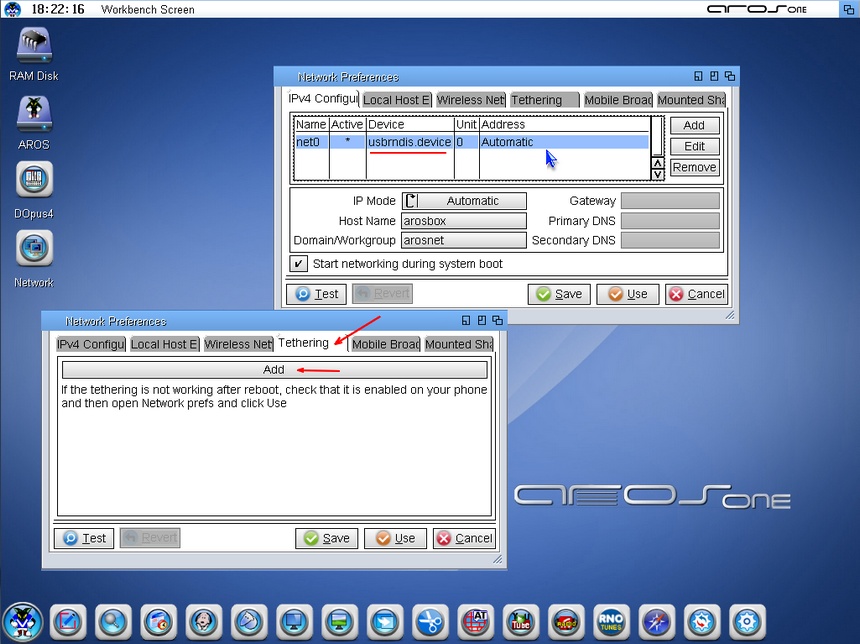
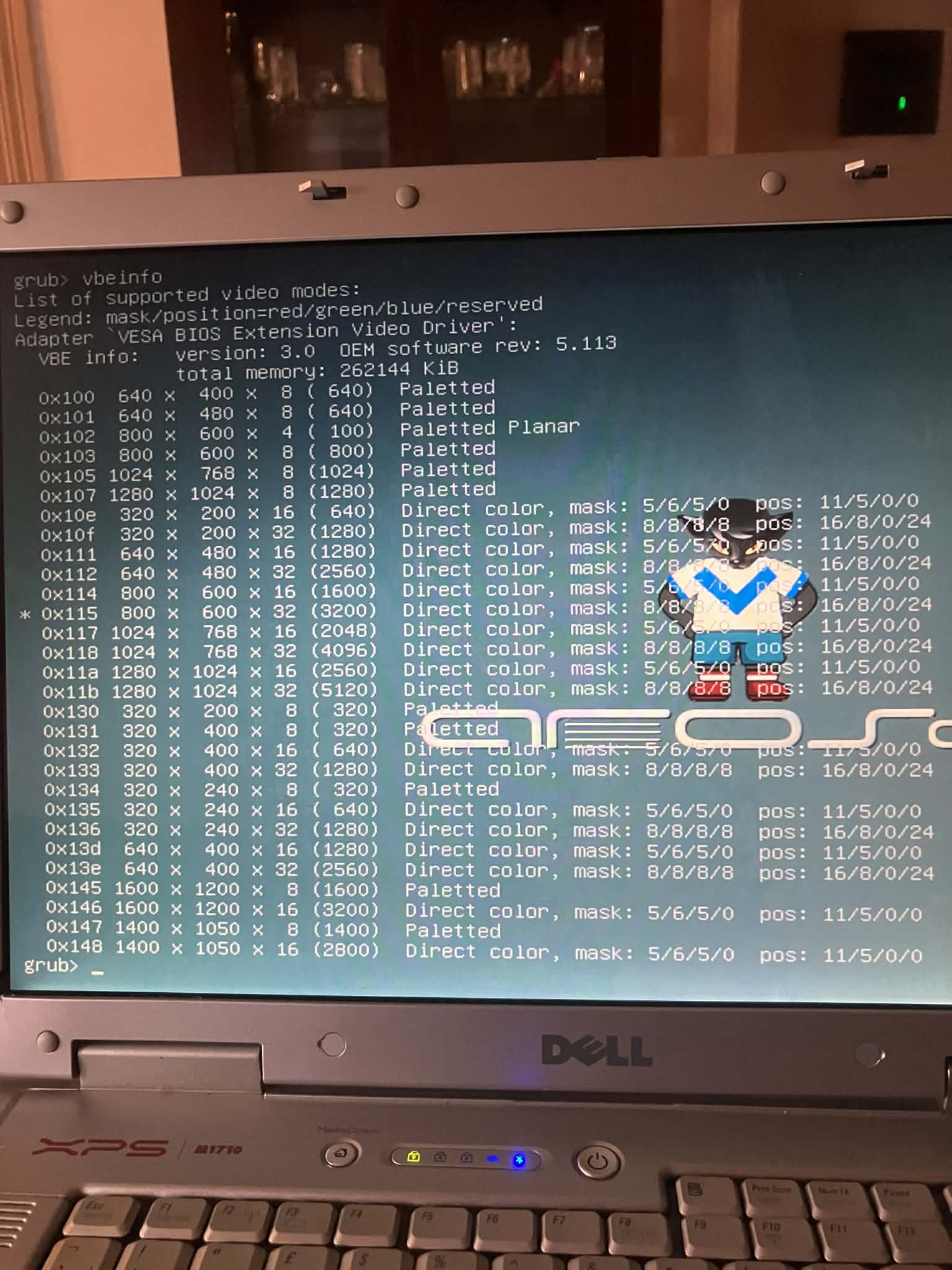
@laiosx - Thank so much for the help all that with screen modes and hardware are still a little confusing to me but I will find my way with your support. I made a try last night for tethering mode with my iPhone it showed ok in the list but despite this no difference in network
USB tethering definitely works, but you need to make sure that tethering is enabled on your mobile phone before you launch Workbench. !
Greetings from Brindisi, Italy, my city is located on the opposite coast from Greece (Corfu)
For the screen resolution in native, that is with GL acceleration, you need to use a 32-bit distribution or the latest build released by Deadwood on his site axrt.org, this way it is more practical. To test the computers, you don't need to install anything; you boot in native mode and then go to the preferences. Anyway, you will immediately notice that the resolution is native because the screen will be in a very low mode.
Thank so much for the help all that with screen modes and hardware are still a little confusing to me but I will find my way with your support. I made a try last night for tethering mode with my iPhone it showed ok in the list but despite this no difference in network
I installed many times on all the laptops trying 64 or 32 bit in one of all I remember a full list of resolutions in the prefs screenmode inside the os but I can't recall
Yes, as Amiwell79 said, VESA driver does not have capability to changing video mode after started. If you want to change the VESA resolution, you need to do this during booting by editing GRUB command line. Edit the command line and change
Yes, exactly, you need to find the resolution that you like, and then if everything goes well, you need to modify the grub.cfg file that is located in the boot/grub directory
Welcome, intel based laptops of 2007 to 2016 usually have no lan support with Aros. Dell, Fujitsu and Toshiba laptops could take an atheros 5k wifi card, use an usb to ethernet adapter (sadly a lottery if you choose the right one) or tether with your smart phone via usb.
The power button switch off message happen in 50% cases. With most Amiga like OSs it does not matter as long as all usb and disk activity has stopped.
I made a 2 partition disk and put windows 7 in one and installed in the other first the 32bit version , was unstable games crashed had no power off , then I installed 64bit version of Aspire one this is stable many screen options , sound ok , no LAN or wireless , also in power of I must use the power button of the laptop
Edited by laiosx on 07-04-2026 11:27, 6 months ago
if do not works the networks hardware there is thetering support you go on sys:prefs/networks and configure it after connecting the phone at system startup by activating it as support
Edited by Amiwell79 on 06-04-2026 16:29, 6 months ago
I can confirm that DELL XPS M1710 that old gaming laptop that looks like a portable Disco goes nice and smooth with Aros ONE 64 bit I'm new to this OS so I don't know about LAN and wifi I'll check . Everything else looks fine
You can view all discussion threads in this forum. You cannot start a new discussion thread in this forum. You cannot reply in this discussion thread. You cannot start on a poll in this forum. You cannot upload attachments in this forum. You can download attachments in this forum.

 AMIGASYSTEMDistro Maintainer