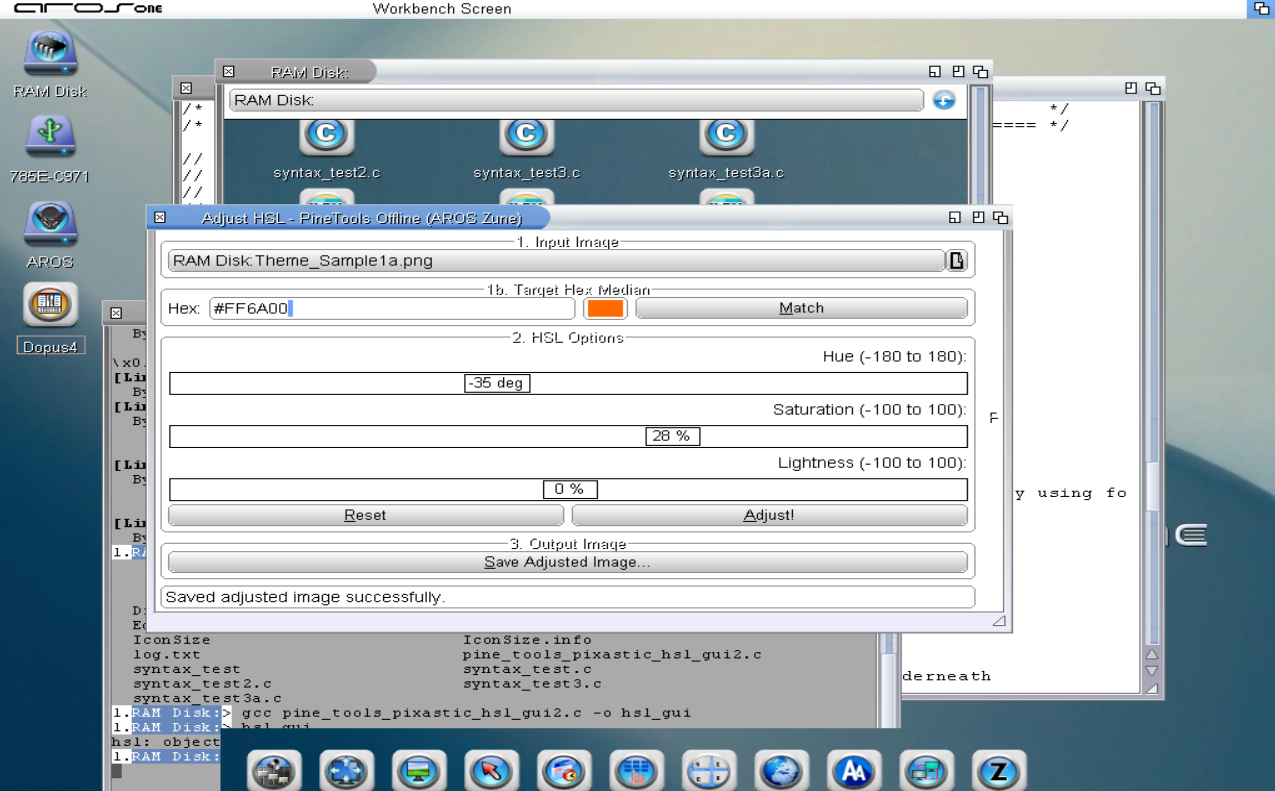
Adjust HSL GUI will be available for Raspberry Pi - Aarch64 as well as Targa Dataype.
The Adjust HSL Zune program is based on the Pixastic HSL Model.
Targa Datatype has been updated and is much more functional than the one in Contrib.
They have both been compiled. Some testing is needed before posting these on Aros Archives.
Edited by miker1264 on 16-11-2026 22:35,
20 hours ago
miker1264 attached the following image:
Here is an HSL Color GUI.
Maybe I will compile it for Aarch64 and play with it on the Pi400. ;p
miker1264 attached the following image:
Well, I took the plunge! I installed some of the ArtCraft applications to check them out.
Specifically, I downloaded PhotoCraft, FilmCraft, WordCraft, CadCraft and PDFCraft to begin with.
I opened a text document in PDFCraft and I saved it as PDF. It worked great and I like the GUI.
Though it is different than Adobe. I works though.
I opened a PDF that I was working on a few weeks ago. In PDFCraft I exported to a Word Doc.
It opened in WordCraft without any issues. I'm impressed so far.
Lastly, I opened an AutoCAD dwg file in CadCraft. Admittedly, it took about a full minute to open.
It must have been dealing with all the elements in the drawing file. But it did finally open. There
were a few issues with text, but mostly ok. I saved the drawing but it didn't take as long as when
I first opened it. That's acceptable. Mostly, I would be satisfied if it used a progressbar like AutoCAD.
These applications were all on Windows 11 Pro. I look forward to trying them on other platforms.
Linux, Mac OS and now AROS are also candidates to run this software.
Just a quick update.
I'm working on some Icon App Launchers. An MUI/Zune window with icons to launch associated programs or prefs.
There are 3 varieties. Tabbed Window Icon Apps Launcher, Single Window with Icons, and Icon Bar.
One of them is a Tabbed Prefs Manager with icons sorted by category such as Utilities, Multimedia, InPut, etc. It can also be used as a Tabbed Appearance Manager for Themes, Sounds, Icons, Wallpaper Images. Just an idea.
The other single window with icons can be used for many things such as an Extension Module for Wanderer menu item, Open With. It keeps a categorized list in a text file & it uses datatype descriptors to get the base name and class of the current file to load the icon images. There are other uses for it as well. It reminds me of the Amiga Tool Manager :-)
Oh, and a special project that involves Background Images. It makes Wallpaper from Blanks! Sine waves, perlin noise, waves, ripples, swirls, all the cool distortions & convolutions you can imagine!
Edited by miker1264 on 08-10-2026 09:48,
1 month agoDigiConvert (digit converter) has been uploaded to AROS Archives.
It was compiled for 32bit & 64bit, ABIv11. But a version for ABIv1 as well as AROS 68k & Raspberry Pi will be available as soon as I can do it.
The next in the Data Calculator Series will be DigiCalc. I named it that because the Dec,Hex,Bin app was DigiConvert so why not! ;-)
DigiCalc is a bitwise calculator using shift << and >> to calculate the binary output, just for the fun of it.
After that will be a scientific calculator named appropriately SciCalc. Eventually all the data calculators will be in one archive that you can download to try out.
 AMIGASYSTEMDistro Maintainer
Posted
2 months agoIt's true, some people still use 32-bit systems, even though sooner or later they'll have to switch. 64-bit is growing rapidly, while 32-bit will no longer receive updates.
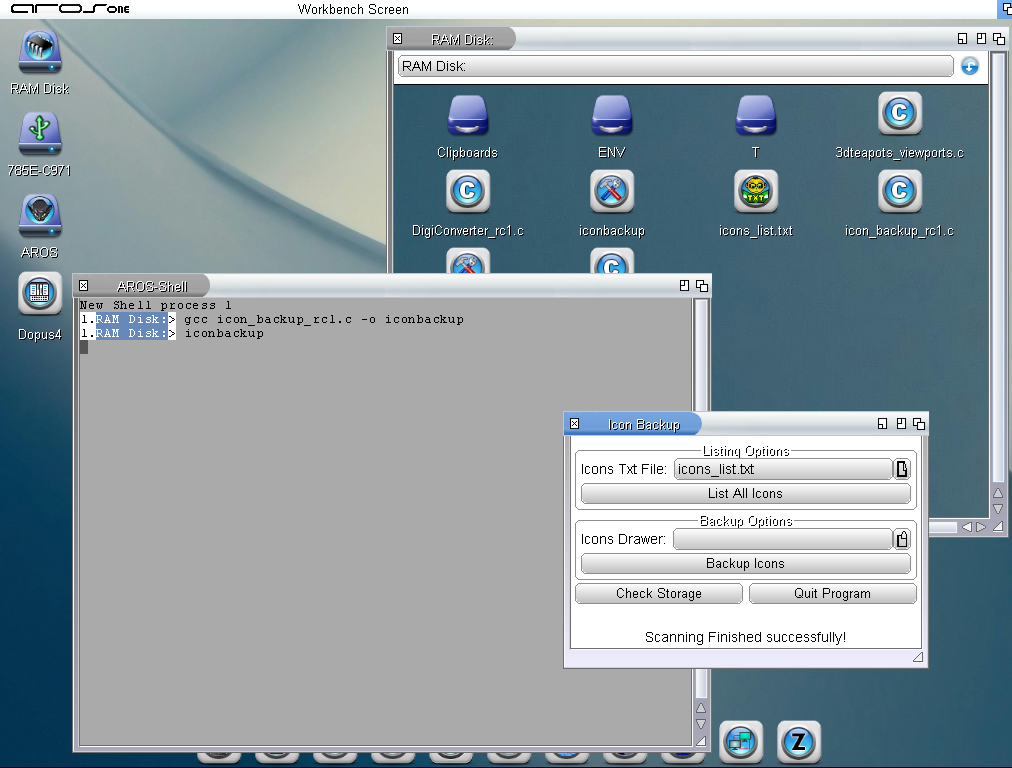
The Icon Backup Utility is almost ready. I developed it on AROS x86 and everything was working great.
Then I compiled it for x86-64 then there were some issues! The Calc Icons to get total filesizes had one, GetNameFromPath & GeDirFromPath had the other issues.
Developing apps on 64bit then compiling on 32bit should be ok. If it works on 64bit, it should also work on 32bit. But 32bit is very forgiving. However, 64bit is not forgiving at all.
Going forward I will develop on 64bit then compile for 64bit and 32bit. :-)
miker1264 attached the following image:
As I mentioned the DigiConvert Utility is complete. I'm in the process of uploading it to AROS Archives.
My next Data Calculator will likely be a Bit Shifting Calculator just because I think it would be fun to make that. After that maybe an Advanced Scientific Calculator using Zune.
And I have a FAT Size Calculator - it calculates the optimal size in sectors of File Allocation Tables for FAT 12/FAT16/FAT 32. Maybe it's useful for someone, maybe not. ;-)
There are two other utility apps that I'd like to make - ADF Maker & Image Maker. The first one makes blank ADF & HDF Images. The second one makes several types of blank floppy & super floppy (zip, Ls-120) disk images for use with DiskImage GUI.
Why do we need all those empty floppy disk images? I don't know. But I already have the code I just need a GUI for it. Someone will find a use.
Edited by miker1264 on 26-09-2026 16:09,
2 months agoI found the issue, or rather I found the solution in this case.
Locale.c had an include "strings.h' but I couldn't find it. So I copied from my older S-MultiView sources.
AMIGASYSTEMDistro Maintainer Posted
2 months agoOnce you've set up the localization code, you'll need to create .cd (Catalog Descriptor) files and as many .ct (Catalog Translation) files as there are languages you want to support.
Once you’ve created the .cd files and all the .ct files using FlexCat or FlexCatGUI, you’ll need to create the i.catalog files for each language.
No menu is required; the system language selection will automatically translate your application, just as it does with system applications.
I’ve attached the source code, where you can see the localization settings.
AMIGASYSTEM attached the following file:
AMIGASYSTEM
Thank you. I'm not familiar with catalog files that's why I asked.
I added two new menu items. I see that there are two mmakefile.src options that I may be able to use.
I think maybe the Build System uses FlexCat at build time, not sure.
Here are the two files:
Maybe I uncomment the second item in the main src file to build the Catalog? Or alternatively just try to build it...
make -j2 workbench -utilities-multiview-catalog
Your FlexCat GUI would be useful for compiling in the shell. Not sure about using it in this case. You may attach a sample if you'd like to.
I wonder if I need to translate the menu items for the other languages.
Edited by miker1264 on 25-09-2026 11:03,
2 months ago
miker1264 attached the following file:
AMIGASYSTEMDistro Maintainer Posted
2 months agoDo you want to use .catalog files or a translator in the GUI? If you want to create catalog files and need to know what to add to the source code, I can share a small project of mine with you where localization is set up using catalogs. I had the .CD and .CT files generated, and then used my FlexCat-GUI to create the .catalog files in the languages I chose.
If you need the code or part of it, I can attach it here!
How would I instruct the compiler to build the Catalog files at link time?
I have a Catalog file with menu items where I added two items. On x86-64 when I try to build the application the compiler says the menu items are missing. How do I build the Catalog?
Anyone who has added translation to a program has probably had this same issue. Any help is appreciated.
I'll try again later today. :-)
Edited by miker1264 on 25-09-2026 09:27,
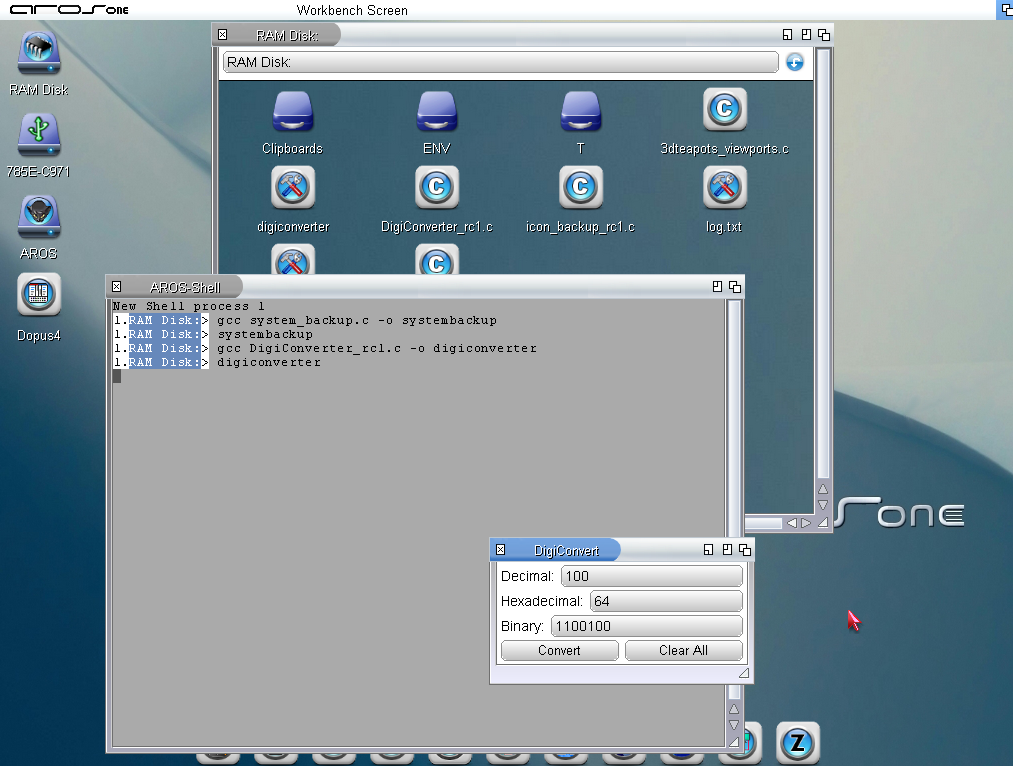
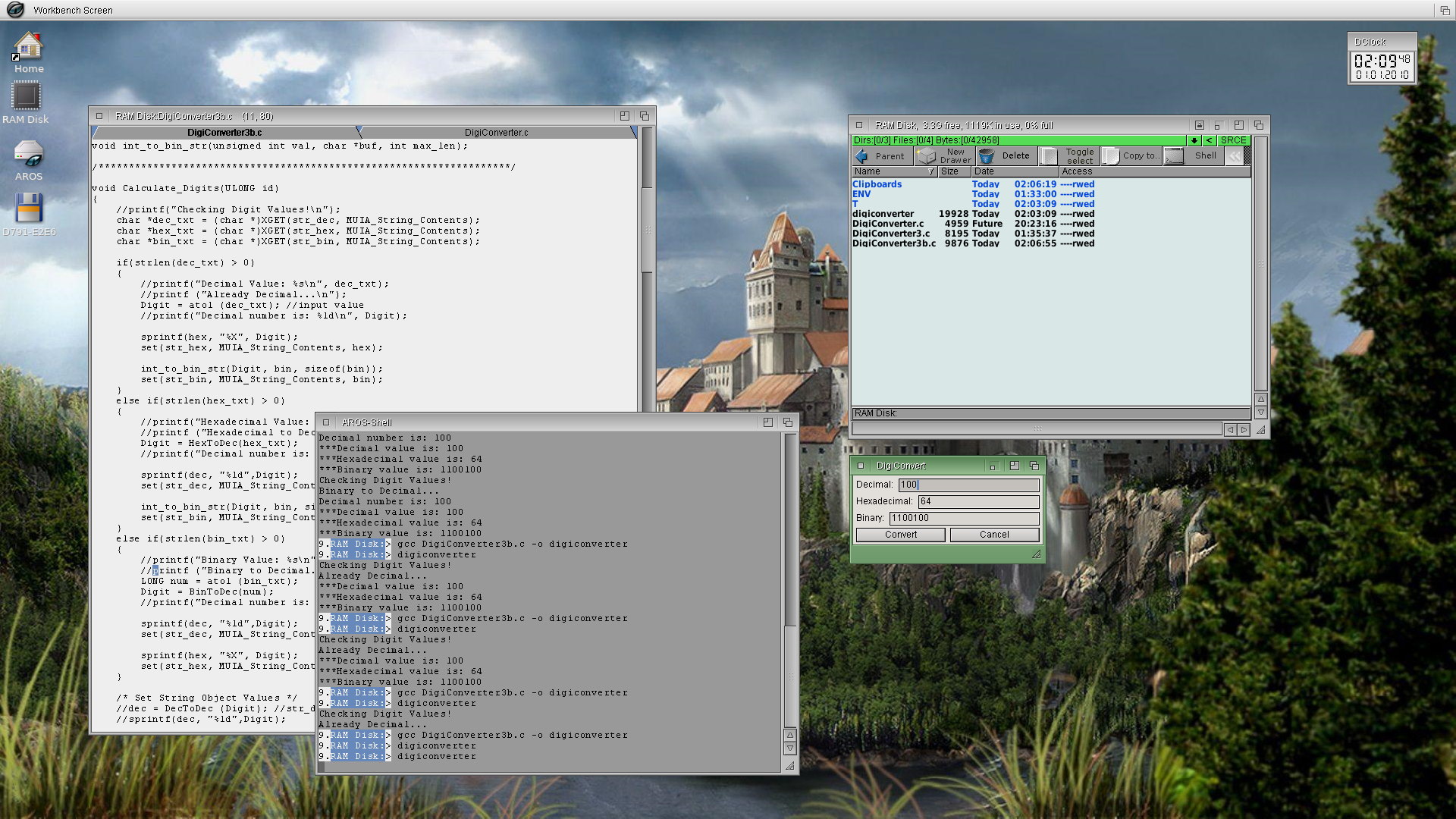
2 months agoThe DigiConverter Utility is working and ready to upload to archives.
miker1264 attached the following image:
Success! The DigiConverter is working now!
What I reported earlier was user error on my part.
I'm going to change the "Cancel" button to "Clear" because the Close Gadget is ok to close the program. But currently there's no way to clear the string gadgets to be re-used.
I'll make that change tomorrow then I'll post it on AROS Archives. :-)
In order to use the DigiConverter just enter a known value, Decimal (integer), Hexadecimal or Binary. Then press Convert. It fills in the other values automatically.
Edited by miker1264 on 21-09-2026 21:54,
2 months ago
miker1264 attached the following image:
As far as I remember, Text and String use different attributes to get/set text. Check MUI documentation.
Yesterday while working on the Data Calculator that converts Dec, Hex,Bin I noticed something odd.
I'm not sure the Zune String Object is working correctly. It seems to be missing the outside border and you can enter text and get attributes of the text contents but you can't use SetAttrs to set the text contents.
But the Text Object which is a label, more or less, can be changed.
Maybe it's just user error. I'll try again later today.
Edited by miker1264 on 21-09-2026 09:37,
2 months agoThis is my plan for Workbench Utilities. In addition to the three I mentioned at the beginning of this thread, I have several more projects that I'd like to do with MUI/Zune.
There are a couple Data Calculators, the first is a Hex Calculator that converts values. The second is a Bit Shifting Calculator. It has standard calculator buttons but also does a little bit shifting for programming.
I'd like to write a Theme Manager for installing themes and a Theme Replicator for mass production for making themes with solid colors.
I'm currently working on the Icon Backup and Replacement Tools. After Icon Backup there is System Backup and Icon Replacement.
In addition to all that, I'd like to do an Icon Split GUI, Icon Exchange GUI, Icon Press GUI and Icon Drop GUI. Icon Exchange is an MUI/Zune remake of Icon Clone. Icon Drop makes Dual Png Glow Icons, and Icon Press makes Dual IFF Glow icons for Classic Amiga 68k.
Maybe an Icon style converter would be nice to convert Dual PNG to OS4 PNG or Dual Png to OS35 IFF with Color Quantizing of the png images. As usual the command line versions are written first, then GUI versions.
Linux has GPartEd and soon AROS will have PartED (not sure about the name) that Kalamatee is working on. Amiga OS 3.3 will have PartED which I assume is also graphical partition editor. Amiga & Icaros Desktop had AmiStart with Start Button & Start Menu like Windows 95/98 had. So, it's perfectly fine to borrow ideas from other OS'es if it's done in an AROS way and if it makes sense.
In order to make it easier for new users especially who see a drawer full of Prefs and they are clueless, I've been thinking about how to do things to make it easier with some add-on applications that users or distro maintainers may install.
So here's one of my concepts. It's called "Quick Launch Prefs". At startup the program gets a list of the installed hardware (DOS List?) then it loads little black icons from a drawer (Prefs/Presets/Images). They're based on installed hardware.
The images are drawn in the rasterport of an invisible, borderless window. When the user clicks in the window we get the mouse coords & launch the associated Prefs App.
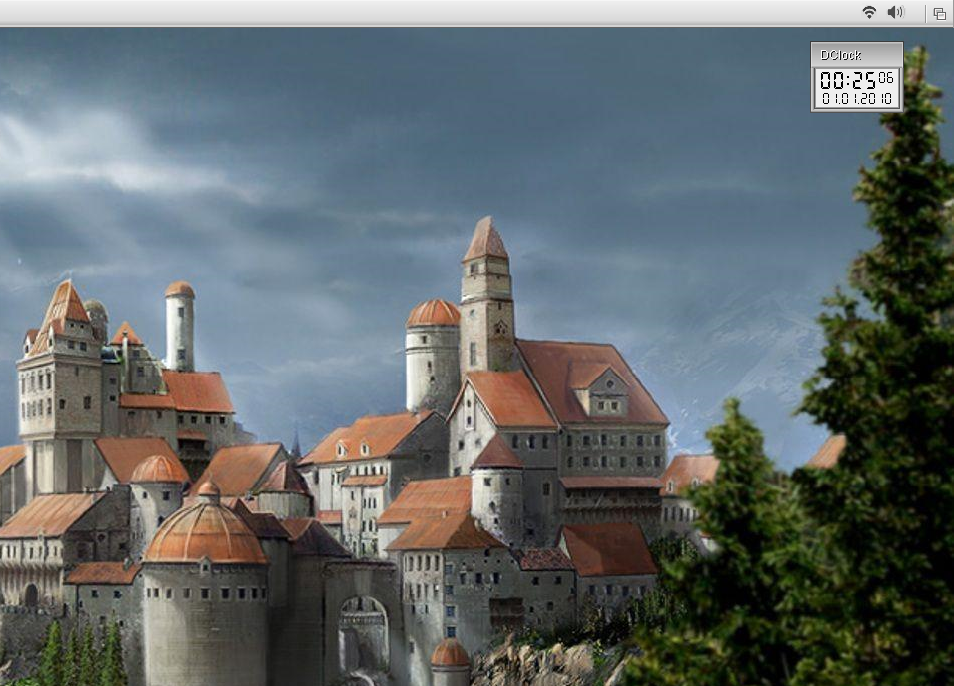
Can you see them in the top right corner of the Screen Titlebar? These are a proof of concept painted in PaintDotNet. They aren't real yet. ;-)
Edited by miker1264 on 15-09-2026 09:21,
2 months ago
miker1264 attached the following image:
My sources for ABIv1 have been updated. Thanks to some much needed & much appreciated assistance. :-)
I'm still going over the instructions for the Aarch64 cross compiler. I want to make sure I set it up right.
Edited by miker1264 on 14-09-2026 22:31,
2 months ago