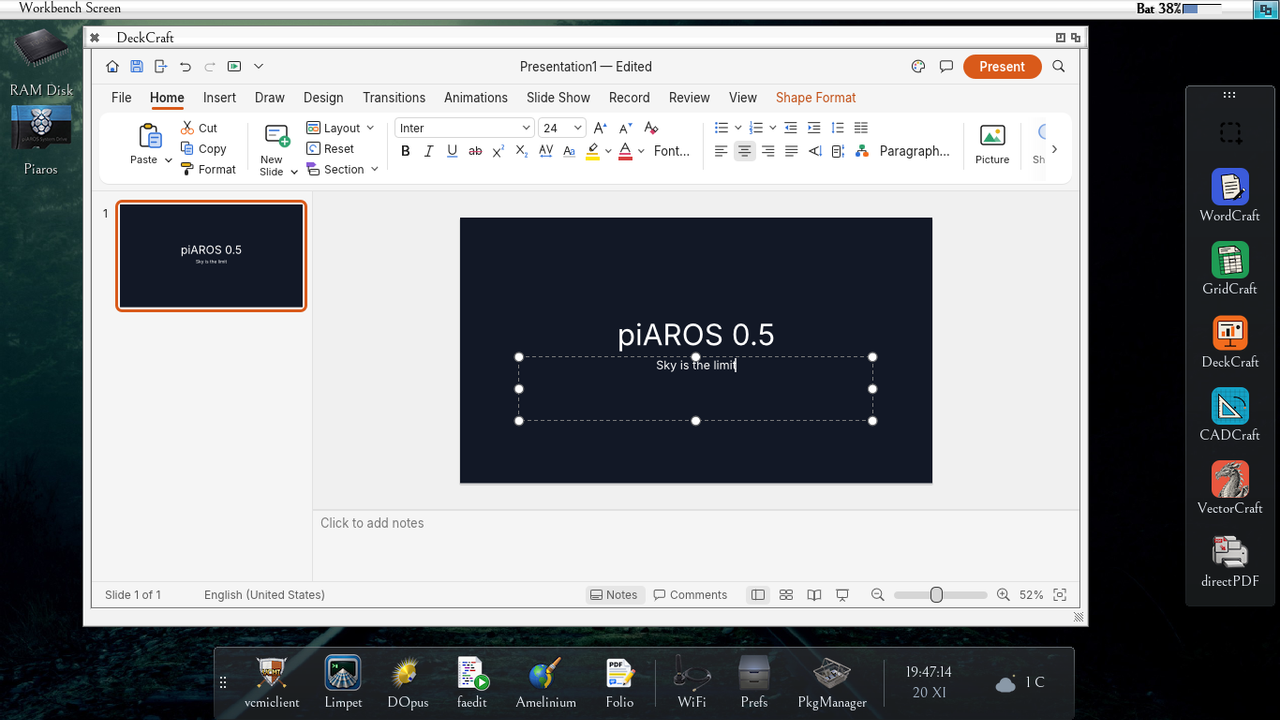
I downloaded the new 0.5 version and I copied it to an extra micro SD.
Yes! The mouse pointer works!
It looks a bit different, but in a good way. The icon dock & icon bar are different & it has some craft tools. But all the icons for the icon dock & icon bar are missing! Oops! :-)
Now to test the old micro SD image.
My missing mouse pointer issue has been resolved for pi_aros 11-05-26. My old mouse pointer was red. The new one is white so I know it changed because of pointer.prefs.
I used my laptop to copy new files to the micro SD. I copied Poseidon.library, Trident, pointer.prefs and I deleted the old Poseidon.prefs file. Then insert the micro SD & restart pi_aros. That fixed the issue. I copied the files from my Build System to micro SD.
Probably if I deleted Poseidon.prefs & copied pointer.prefs it would work.
Although the mouse pointer now works, I've had no luck with sound.
Edited by miker1264 on 25-11-2026 21:17,
13 hours agoAs for my Pi400 losing the mouse pointer I have a theory about that.
Maybe it's not a HID driver issue but rather the Pi USB hubs are under powered. The ports don't receive enough power from the flimsy little USB C power adapter so USB devices don't always work correctly.
To test it I have a powered hub. I'll try anything at this point.
Has anybody PiAROS 0.5 successful installed on a Raspberry Pi500? I read on a forum that someone on their Raspberry Pi500 couldn't get to Wanderer (black or grey screen).
I can compile the AmigaKeymapper this evening. I have other software to compile also including my new apps: Fast Image Viewer & Fast Image Quantizer, Adjust HSL, Reverse HSL.
I also have some Theme Builder Tools to compile for Aarch64. ;-)
If I have the sources I can compile ffmpeg tools & AHI Volume control. It takes more time because I have to use the Build System & set up a new mmakefile.src for each application.
Edited by miker1264 on 25-11-2026 11:17,
23 hours agoThanks for trying my calculator. :-)
By the way, the issue with some images not opening in MultiView with double click is most likely because the Tool types are wrong.
If you right click one of the icons and choose Icon->Information look at the path for MultiView. Some of the def_icons are incorrect.
If it is "AROS: Utilities/MultiView" change it to: "SYS: Utilities/MultiView"
After you change it and save the icon information then double click to open should work.
I'll try downloading and using version 0.5 to see if my mouse cursor comes back.
Edited by miker1264 on 24-11-2026 22:52,
1 day agoSuch wonderful plans and now what? I have no USB mouse cursor.
It worked a week ago but now nothing. I tried three mouses. Multiple restarts but it won't work.
Poseidon pops up when I connect the mouse but it says "no class responsible" so the HID class isn't binding to the input device? I had the same thing happen a week ago to the internal keyboard. But a USB keyboard worked. How strange!
I can't test any sound hardware because I have no mouse pointer.
Pi400 is my hardware. Any ideas?
Edited by miker1264 on 24-11-2026 21:06,
2 days ago BohunDistro Maintainer
Posted
2 days agoI actually made a mistake when replacing def_icons. They don't point to the unpacker. I'll fix that in the future. I recommend Arca for unpacking – there's an icon with an orca icon in the dock and in Packages/Arca.
Audio is of course available, but by default it points to the HDMI output. If you want to use the audio output, change the driver in AHI.
Edited by Bohun on 24-11-2026 08:54,
2 days agoYes. I'm running Pi_Aros on my Pi400 also. It's great.
It's good you pointed out the LHA and sound issues. I'll check the HDMI out sound on mine.
Did you stup HDMI sound in AHI Prefs?
Hi there,
I downloaded version 0.5 and am running it on a Raspberry Pi 400 and I must t say I’m really impressed.
Couple of things I noticed though… like how can I access the Left and Right Amiga keys on the Raspberry Pi 400’s keyboard? I noticed there’s no "cls" command, although there’s one on AROS-Archives but it’s not for “aarch64-aros”, but I downloaded it anyway because it comes with the source, but is there a compiler included in piAROS? I noticed that when I “read” a txt file in DOpus I can’t close the “reading window”. I downloaded GrafX2 which is really great, but DOpus wouldn’t extract the file (no Lha in c?) so I had to download it on to my Mac running FS-UAE with AmigaOS 3.2.3 and extract it with Lha x there, and then move it over to piAROS — bit of a round about way of doing things — but it works… except colour cycling only runs when you move the mouse, and it will not let me save any changes to configure it (like Keyboard shortcuts). Also I have no sound through HDMI (when I’m running Raspberry Pi OS sound works fine). And is rexx working?
Even so… I really am absolutely awestruck, it’s like having a true Raspberry Pi Amiga.
Edited by PerspexSphinx on 23-11-2026 22:42,
3 days agoBohunDistro Maintainer Posted
5 days agoThat's a cool idea. If you have any programs you'd like to share that would expand the capabilities of piAROS, I'd be happy to add them to the update. The update will be necessary because I forgot about the programs rhun wrote specifically for the Raspberry Pi, such as VCStat and PiSensors. I'm sick and my brain isn't working as well as usual ;-)
While thinking about possible projects I came up with this idea:
Since my Pi400 doesn't have an audio jack I need to use sound out through HDMI. But if I don't have a HDMI TV with a remote I need a way to control the volume.
I found USB Volume Knobs on Amazon so I can write a Poseidon Class Driver and an HDMI Sound App. Turn the knob and the Volume Slider Appears on screen.
It's an easy way to turn up / down volume or mute when listening to music on Pi_Aros. Also, I found the AHI Volume Control that Farox kindly provided so I can link into that. :-)
Edited by miker1264 on 20-11-2026 19:41,
6 days ago