Oh no! Where's the JavaScript?
Your Web browser does not have JavaScript enabled or does not support JavaScript. Please enable JavaScript on your Web browser to properly view this Web site, or upgrade to a Web browser that does support JavaScript.

Raspberry 3

Last updated on 3 hours ago
B
BohunMember
Posted 9 days ago
I connected to my home Wi-Fi network, set up DHCP, and pinged the router. Unfortunately, there's no route to host. What about you?
J
Jeff1138Member
Posted 9 days ago
Hi,

I did not have much luck either, but I hate setting up wifi (always do something wrong) and prefer wired ethernet. Plug and play everytime for me.
Hopefully ntromans will have a chance to play and confirm if it is a issue or not.

Think it now works for me, needed to remove bsdsockets error, put wifi details in and message no longer asks for bsdsockets.
Edited by Jeff1138 on 11-08-2026 06:56, 8 days ago
B
BohunMember
Posted 9 days ago
Wi-Fi support is crucial for me, as the Pi-Top laptop case is on its way to me Smile
Of course, it would be useful to have some network-connected programs now, but I assume a 64-bit contrib package is only a matter of time.

Right now, I'm also smiling sheepishly at Deadwood for the latest browser version ;-)
A
Amiwell79Distro Maintainer
Posted 9 days ago
Interesting, thanks
D
deadwoodAROS Dev
Posted 8 days ago
32-bit and 64-bit AROS builds for Raspberry Pi 3 are now available on www.aros.org.

www.axrt.org/media/aros-raspi.jpg


These builds are already quite stable and offer many features, but the are not yet complete. We ask anyone who is interested, to test these builds and provide feedback in this thread.

Builds are available in form of "nightly builds" - that means they contain the latest and greatest features, but keep in mind that something that means a regression can slip in.

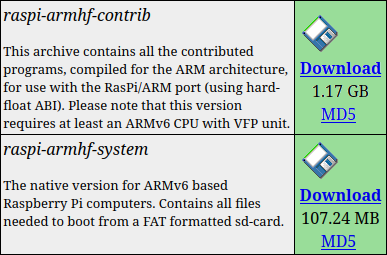
If you are interested in 32-bit version, download these nightly builds:

http://www.aros.org/nightly1.html

www.axrt.org/media/arm-32-bit.png


Alternatively, if the latest nightly build is not available or not working for you, you can use these pre-tested versions:

https://www.axrt.org/download/aros/rpi/AROS-20260811-raspi-armhf-system.tar.bz2
https://www.axrt.org/download/aros/rpi/AROS-20260804-raspi-armhf-contrib.tar.bz2

Extract contents of the archive to FAT-formatted SD-card to boot Raspberry Pi.
Contrib archive contains additional software compiled for 32-bit version.

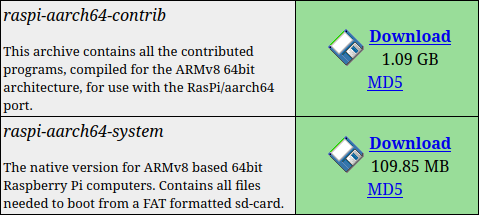
If you are interested in 64-bit version, download these nightly builds:

http://www.aros.org/nightly1.html

www.axrt.org/media/arm-64-bit.png


Alternatively, if the latest nightly build is not available or not working for you, you can use these pre-tested versions:

https://www.axrt.org/download/aros/rpi/AROS-20260811-raspi-aarch64-system.tar.bz2
https://www.axrt.org/download/aros/rpi/AROS-20260816-raspi-aarch64-contrib.tar.bz2

Extract contents of the archive to FAT-formatted SD-card to boot Raspberry Pi.
Contrib archive contains additional software compiled for 64-bit version.
Edited by deadwood on 16-08-2026 12:11, 2 days ago
OlafSch, Amiwell79, retrofaza, Deremon, CoolCat5000, A500Fan
J
Jeff1138Member
Posted 8 days ago
Hi,

Nice, thanks everyone.

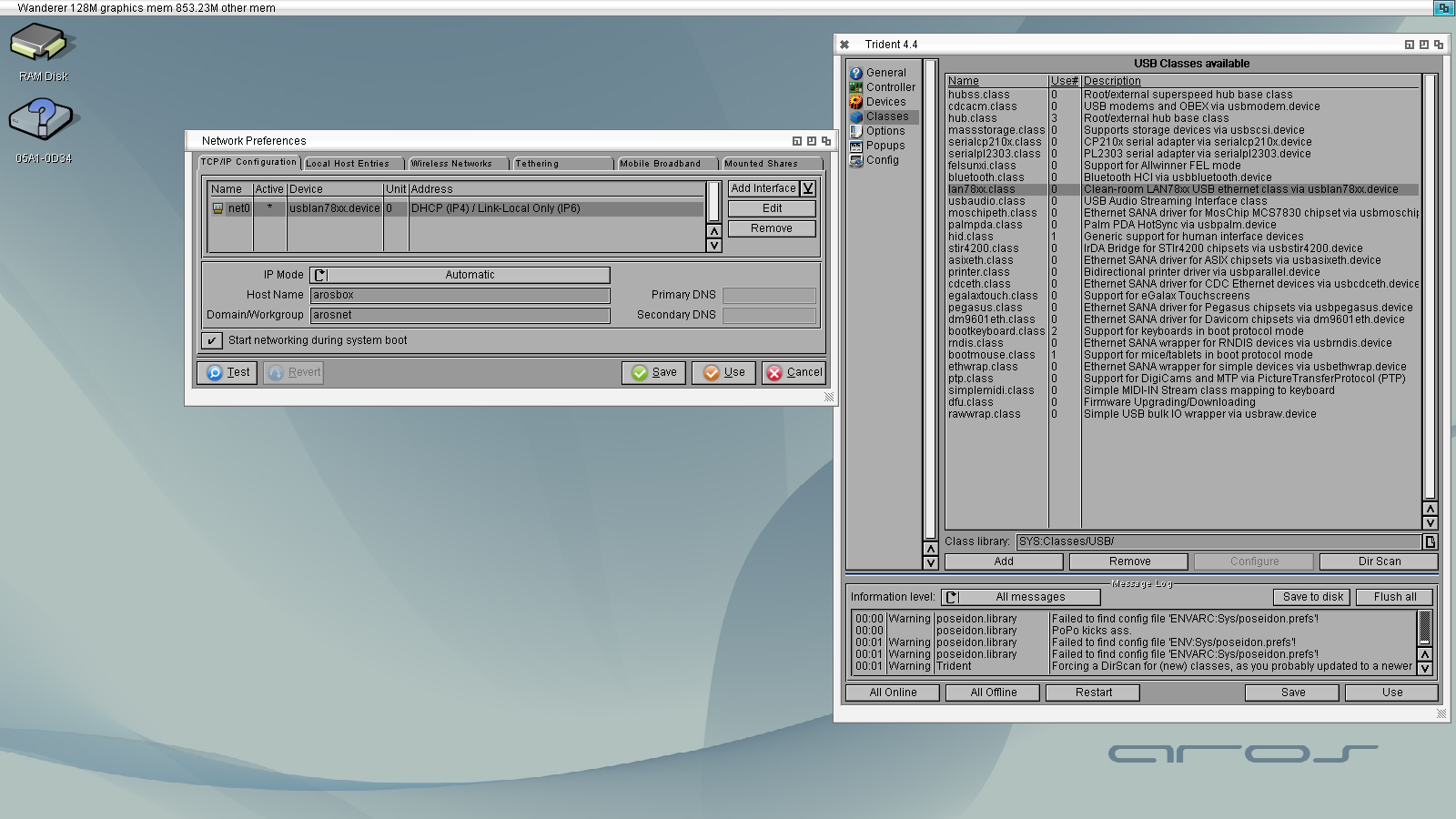
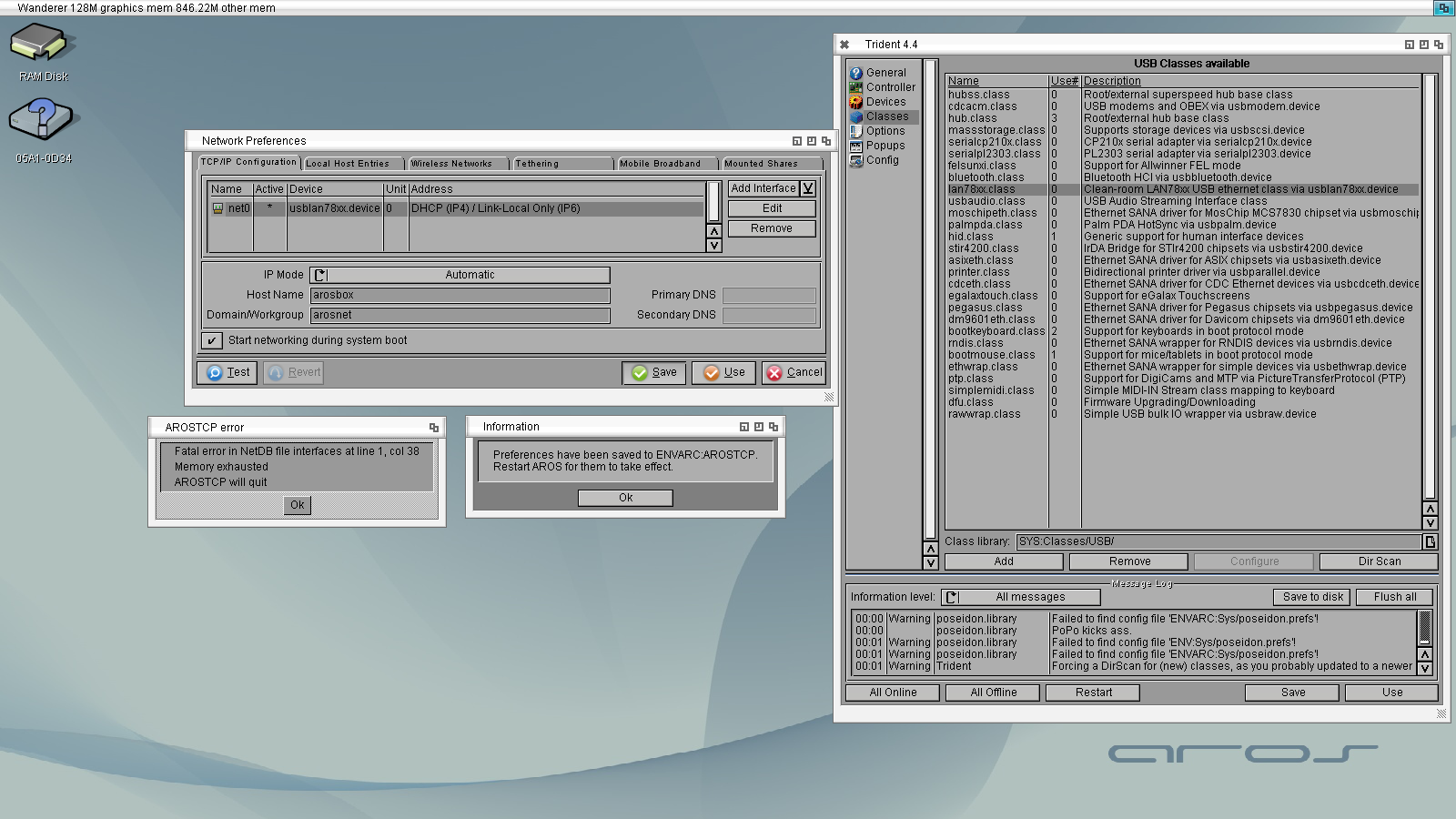
regards usblan78xx on Pi3b

Pis 2 and 3 used the SMSC LAN9514 chip
Pi 3 B+ uses a Microchip LAN7515 chip

Could this be an issue?

FYI Contrib is now up http://www.aros.o...htly1.html

The wikibooks page has received an update https://en.wikibo...Pi_support
Edited by Jeff1138 on 13-08-2026 09:48, 5 days ago
Jeff1138 attached the following image:
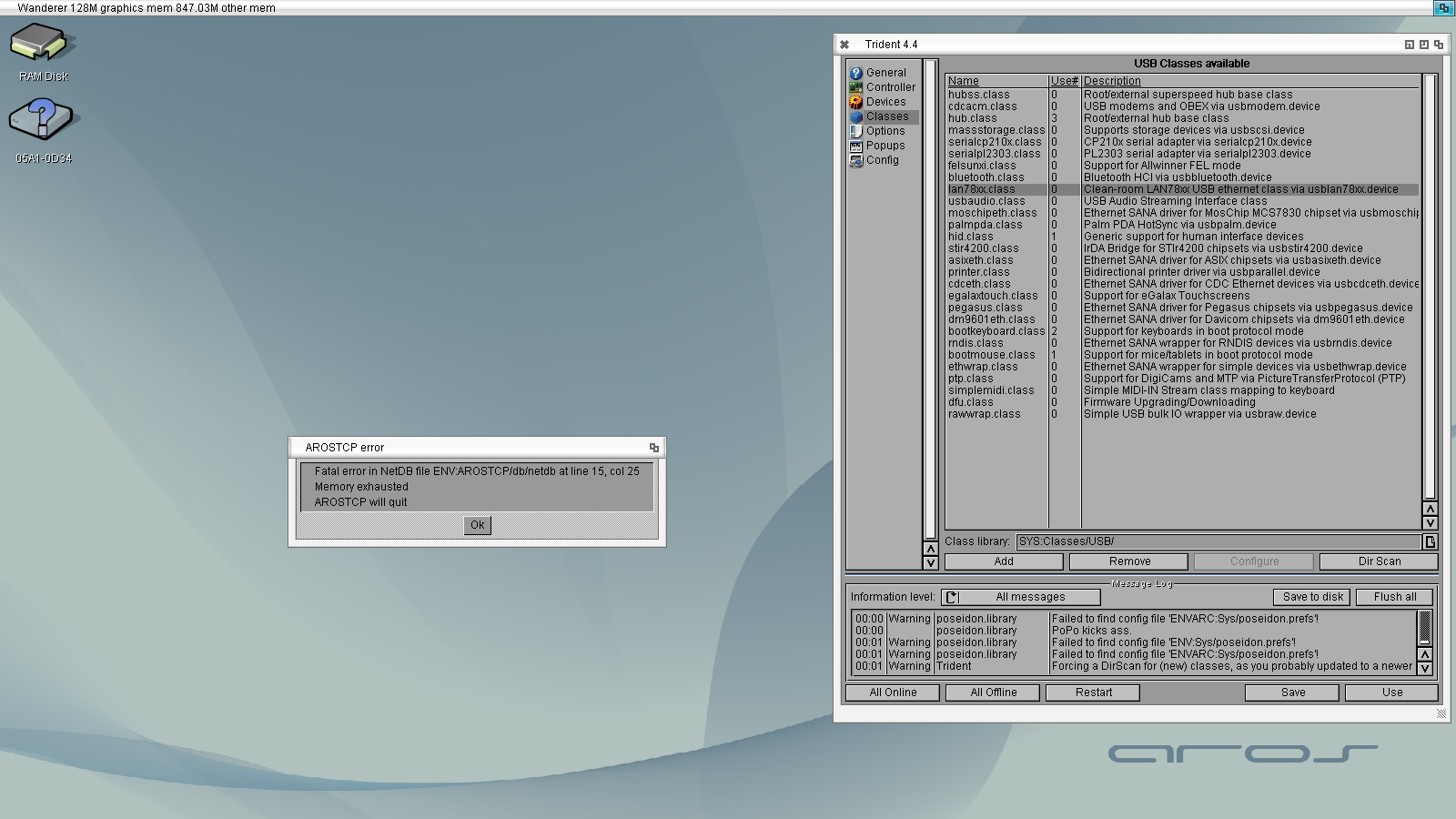
netdb04.png netdb05.png netdb06.png
N
ntromansVeteran Member
Posted 7 days ago
USB mouse, keyboard and memory stcks are now working on Pi zero 2W :-). Mouse and keyboard need to be conected at startup via a hub but memory sticks can be connected after boot. There are still some issues with removing and reconnecting though; sometimes the devices are recognised, sometimes not. However, it's great to be able to use the system.

Wifi is working for me; I connected through IPv4, DHCP for all settings. Connection is WPA encrypted. Ping works, although a bit slow (about 70 ms per ping compared to a few ms for my laptops).

I can change screen resolutios, although if I drag the screen down is goes black for a moment at the start and end of the drag.

Looking forward to doing further tests :-)

Cheers,
Nigel.

P.S. This is using 64 bit system.
CoolCat5000, Bohun, Argo
B
BohunMember
Posted 4 days ago
@amigamia

Quote

Just tested successfully working KB and Mouse on a 3B as well as a RPi 400. More news to come soon...

Does RPi 400 work?
Edited by Bohun on 15-08-2026 01:46, 4 days ago
amigamiaamigamiaAdmin
Posted 3 days ago
I stopped at testing KB and Mouse. I haven't tried the rest (Audio, Video, Network) because I was warned it isn't ready yet. Plus, it has been a busy week but I plan on building up a new SD-Card for the 400 and just kick it to see what rolls.
amigamiaamigamiaAdmin
Posted 3 days ago
Confirmed not working for Audio/Video/Network
B
BohunMember
Posted 1 day ago
With latest build from 17.08.26 my Raspberry Pi 3B+ recognizes my Raspberry Pi Keyboard and works with it properly. I have stable ping outside my home network Smile
Thank you!!!!
Edited by Bohun on 17-08-2026 15:46, 1 day ago
ntromans, sonountaleban, deadwood, miker1264
amigamiaamigamiaAdmin
Posted 1 day ago
Is there a specific sequence to get the network running over Wi-Fi? I keep getting issues. I managed to make it work 2 out of 10 times and when I reboot, I have to fiddle with the Wireless manager and network configs.

Here is my process:

1. I change the net0 interface driver to bwfm.device
2. I add my access point ID + Pass phrase and WPA
3. Wireless manager comes up sometimes after step 1 and other times after step 2
4. After step 2, if I re-enter the same pass phrase for the correct access point ID, I get an IP and I can ping google.com
5. If I reboot, I am back to no IP address via DHCP
6. if manage to bring up the wireless manager and then set "start network on reboot" it won't save and it gives an error.
7. Also why does Wireless manager not have a close option? When I am good to go, this thing just floats on the screen and can't get rid of i unless I reboot.


Is there a simpler way to setting up Wi-Fi on AROS? I recount the same but to a lesser extent on AROS on Intel.

It's a frustrating experience that no one should go through and honestly a deterrant to new users.
B
BohunMember
Posted 20 hours ago
You're right, there's a problem with the Wi-Fi. When I managed to ping my router and then arosworld.org, I immediately wrote the above comment, but after restarting, it turned out that the connection data hadn't been saved. I downloaded aircos from the contrib package and tried to use it, but despite repeated attempts, the Wi-Fi stopped working.
Wi-Fi support still requires some work.
N
ntromansVeteran Member
Posted 11 hours ago

amigamia wrote:

@amigamia - Is there a specific sequence to get the network running over Wi-Fi? I keep getting issues. I managed to make it work 2 out of 10 times and when I reboot, I have to fiddle with the Wireless manager and network configs.

Here is my process:

1. I change the net0 interface driver to bwfm.device
2. I add my access point ID + Pass phrase and WPA
3. Wireless manager comes up sometimes after step 1 and other times after step 2
4. After step 2, if I re-enter the same pass phrase for the correct access point ID, I get an IP and I can ping google.com
5. If I reboot, I am back to no IP address via DHCP
6. if manage to bring up the wireless manager and then set "start network on reboot" it won't save and it gives an error.
7. Also why does Wireless manager not have a close option? When I am good to go, this thing just floats on the screen and can't get rid of i unless I reboot.


Is there a simpler way to setting up Wi-Fi on AROS? I recount the same but to a lesser extent on AROS on Intel.

It's a frustrating experience that no one should go through and honestly a deterrant to new users.


I've just tried with my Pi zero 2W (haven't touched this for a week due to x64 testing). It looks like there is a bug with setting network prefs to start network on boot, it does indeed loose all the settings. If you don't set to start at boot, settings are preserved. Instead, add this to the user-startup:

execute sys:system/network/arostcp/s/startnet
run wirelessmanager device=bwfm.device >nil:

Network will start automatically on boot. If you don't want the wirelessmanager icon on Wanderer, just add 'nogui' to the wirelessmanager line.

Cheers,
Nigel.
B
BohunMember
Posted 5 hours ago
In my case, network preferences aren't saved regardless of whether I check the "start at boot" checkbox or not. The network works until I restart, after which I have to re-enter the access point, password, and wireless device.
N
ntromansVeteran Member
Posted 5 hours ago

Bohun wrote:

@Bohun - In my case, network preferences aren't saved regardless of whether I check the "start at boot" checkbox or not. The network works until I restart, after which I have to re-enter the access point, password, and wireless device.


Very odd. After savng the network prefs, have a look in sys:prefs/envarc/sys/wireless.prefs to see if the wifi data you are setting is being written there. Then, assuming the information has been written, re-boot and see if it's still there.

Cheers,
Nigel.
Edited by ntromans on 18-08-2026 16:09, 4 hours ago
B
BohunMember
Posted 3 hours ago
Ultimately, Wireless.prefs is OK, and I can see the access point after restarting. Unfortunately, the contents of the TCP/IP Configuration tab are not saved.

N
ntromansVeteran Member
Posted 3 hours ago

Bohun wrote:

@Bohun - Ultimately, Wireless.prefs is OK, and I can see the access point after restarting. Unfortunately, the contents of the TCP/IP Configuration tab are not saved.


So not saved immedately after hitting 'save' in network prefs? Can you save other prefs (e.g. locale?) I'm just wondering if there's something about your SD card which is stopping data being saved to it.

Cheers,
Nigel.
You can view all discussion threads in this forum.
You cannot start a new discussion thread in this forum.
You cannot reply in this discussion thread.
You cannot start on a poll in this forum.
You cannot upload attachments in this forum.
You can download attachments in this forum.