Here is the archive containing the new icon.library 64bit with icon scaling enabled. I also included the working souce code layouticon.c and layouticon_1029.c should be identical.
The layouticon1029.c is the corrected code & just to be sure I copied the working code directly
from icon library in my Build System. The rest of the files are screenshots.
I noticed that icon sizes 48, 64 & even 96 look fine. But size 144 is gi-normous & it doesn't look good!
You must be half blind to use that one. ;-)
Again, further testing must be done to ensure that the new changes will not break anything else. If not it can be submitted for review via PR.
Edited by miker1264 on 29-10-2026 21:58,
12 hours ago
miker1264 attached the following file:
 AMIGASYSTEMDistro Maintainer
Posted
3 hours agoYes, there is a problem: if you view the icons in detail, the detailed icons do not maintain the standard size and are always large.
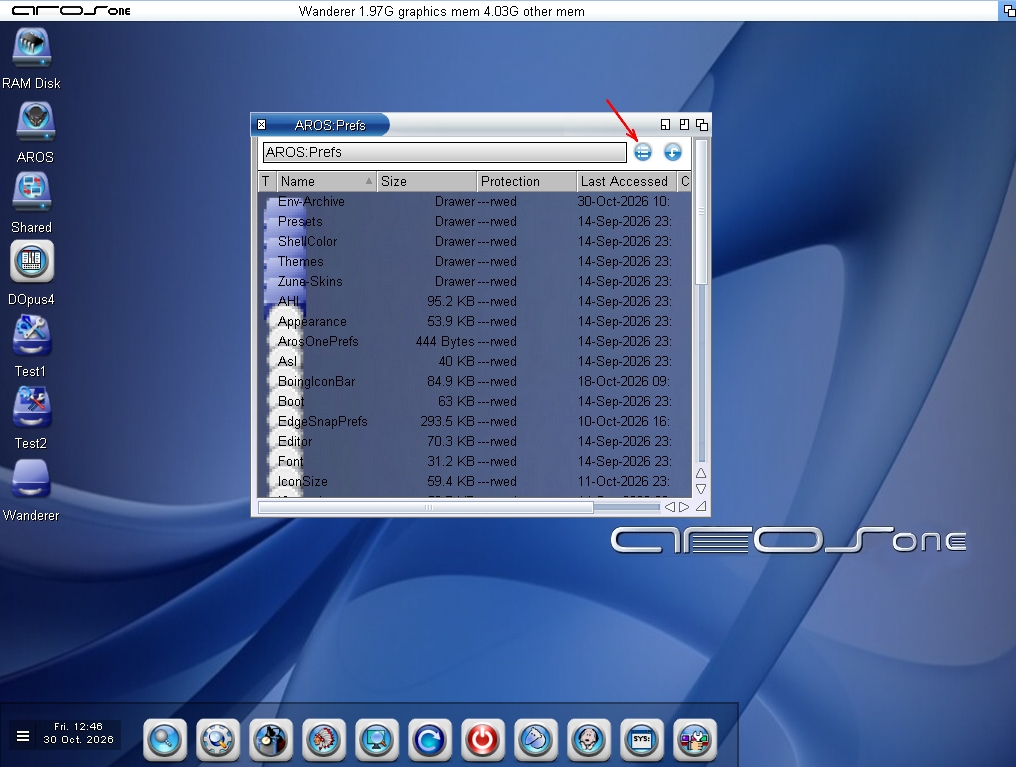
Regarding the detailed view, as you can see from the screenshot, a black font is used that is hard to read on dark backgrounds. With Claude, I’d like to improve this aspect and see if it resolves the issue mentioned above.
As you can see in the screenshot, I’ve added a gadget in WanderPrefs that lets you select “Icons/Detail/All IFile” with a single click.
Regarding JanusEditor, I’ve had some bugs fixed:
- Word replacement when the word is inside parentheses; this was the bug: For example: “Hello”; double-click ‘Hello’ to highlight it, paste something, and it ends up as: “”NewText
- The white bar in the line number section has been removed
AMIGASYSTEM attached the following image:
AMIGASYSTEM
I didn't test Icon detail view. It makes sense if you do a global icon scale that the small icons would look wrong for icon details.
Maybe there should exceptions where you tell icon library these icon images should be 1:1 not scaled.